
How to Evaluate AI Customer Support Tools for E-commerce
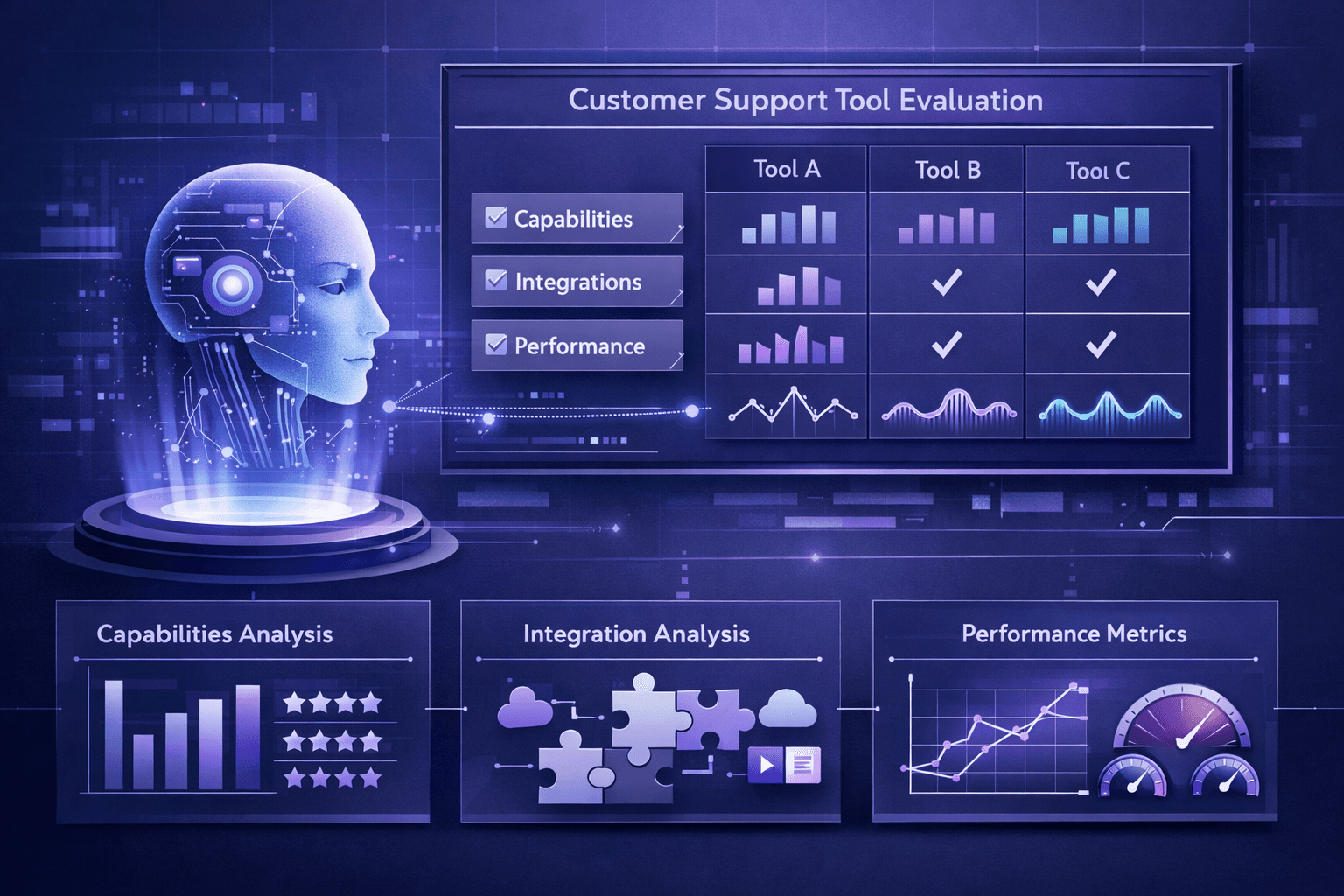
Choosing the wrong AI customer support tool wastes money, damages customer satisfaction, and creates more work than it saves. The key to successful evaluation isn't finding the "best" tool—it's finding the right tool for your specific e-commerce store's needs, volume, and growth trajectory.
This guide provides a complete framework for evaluating AI customer support tools, the criteria that actually matter, how to test and compare platforms, common evaluation mistakes that lead to buyer's remorse, and a step-by-step decision process that ensures you choose a solution that delivers results.
Why most e-commerce stores evaluate AI tools incorrectly
The common approach:
- Google "best AI customer support"
- Read a few comparison articles (often affiliate-driven)
- Book demos with 2-3 vendors
- Choose based on demo impressions or lowest price
- Sign contract and hope for the best
Why this fails:
- Demo bias: Vendors show polished scenarios that don't match your actual support conversations
- Feature checklist thinking: Buying based on feature counts rather than outcomes you need
- Price anchoring: Choosing the cheapest option without calculating total cost of ownership or expected ROI
- Ignoring integration complexity: Underestimating setup time and technical requirements
- No testing with real data: Failing to validate AI performance with your actual customer conversations
- Decision by committee: Involving stakeholders who don't understand support operations or AI capabilities
The result: 40-50% of e-commerce stores that implement AI customer support switch vendors within 12 months due to poor initial selection.
The 8 evaluation criteria that actually matter
1. E-commerce integration depth
Why it matters:
AI can't answer order status, returns, or shipping questions without access to your e-commerce platform data. Shallow integrations require manual workarounds that undermine automation.
What to evaluate:
Data access:
- Can AI read order details (status, items, shipping, payment)?
- Can AI access product catalog (descriptions, specs, pricing, inventory)?
- Can AI read customer history (past orders, support conversations, preferences)?
- Can AI access returns/refunds data and policies?
- Does integration support custom order statuses and workflows?
Action capabilities:
- Can AI initiate returns/refunds?
- Can AI update orders (address changes, shipping upgrades)?
- Can AI apply discount codes or process adjustments?
- Can AI trigger shipping label generation?
Real-time sync:
- How often does data sync? (Real-time vs. hourly vs. daily)
- What's the latency between order update and AI awareness?
- Can AI detect when data is stale and escalate appropriately?
Platform coverage:
- Native integration for your platform (Shopify, WooCommerce, BigCommerce, custom)?
- Support for your specific apps/plugins (subscription apps, shipping providers, inventory systems)?
- API quality and completeness
How to test:
Request a sandbox environment with your actual e-commerce platform connected. Test these scenarios:
- Order lookup: Ask "Where is my order?" with various order identifiers (number, email, name)
- Complex order status: Test orders with multiple shipments, backorders, or custom statuses
- Product questions: Ask detailed product questions requiring catalog data
- Returns: Initiate a return for specific order scenarios (defective item, wrong size, buyer's remorse)
- Edge cases: Pending orders, partially shipped, international, subscription orders
Red flags:
- Integration requires ongoing manual data exports/imports
- AI can only access basic order status, not full details
- No support for your specific platform or requires custom development
- Data sync delay >15 minutes
- Can't handle your custom workflows or order statuses
Best-in-class example:
AI can instantly access full order history, understand custom shipping workflows, knows your product catalog including variants and options, can initiate returns with automatically generated labels, and detects when data might be outdated (e.g., tracking info not yet available from carrier).
2. Answer accuracy and resolution rate
Why it matters:
An AI tool that gives wrong answers or can't resolve common questions creates more support work, not less. Accuracy determines whether AI reduces workload or becomes a liability.
What to evaluate:
Answer quality:
- Factual accuracy (does AI give correct information?)
- Completeness (does AI answer the full question or just part of it?)
- Context awareness (does AI understand conversation history and connect related questions?)
- Policy adherence (does AI follow your return policies, shipping terms, etc.?)
- Tone appropriateness (friendly but professional, not robotic or overly casual)
Resolution rate:
- What percentage of conversations does AI fully resolve without human intervention?
- How is "resolution" defined and measured?
- What's the escalation rate for different question types?
Failure modes:
- When AI doesn't know, does it admit uncertainty or give wrong answers confidently?
- How does AI handle ambiguous questions?
- Does AI get stuck in loops or give repetitive unhelpful responses?
How to test:
Option 1: Test with real historical conversations
Provide vendor with 50-100 anonymized customer support conversations from your store. Have them process these through their AI and compare AI responses to how your team actually resolved them.
Analyze:
- Accuracy rate: % of conversations where AI gave correct information
- Full resolution rate: % where AI would have fully resolved without human needed
- Partial assistance rate: % where AI helped but escalation still needed
- Harmful response rate: % where AI gave incorrect/harmful information
- No-value rate: % where AI provided no useful assistance
Option 2: Structured test scenarios
Create 20-30 test questions covering:
- Simple FAQs (shipping time, return policy, payment methods)
- Order-specific questions (where is order #1234?)
- Product questions (sizing, materials, compatibility)
- Complex scenarios (exchange + address change, international shipping question)
- Edge cases (order shows delivered but customer didn't receive)
Submit each question to AI and score responses 1-5:
- 5: Perfect answer, fully resolved
- 4: Correct but could be clearer or more complete
- 3: Partially helpful, but missing key information
- 2: Unhelpful or confusing
- 1: Wrong information that would harm customer experience
Benchmarks:
- Accuracy rate: Should be >95% for factual questions
- Resolution rate: 70-85% for established e-commerce stores with typical support mix
- Harmful response rate: Should be <1%
Red flags:
- Vendor can't provide resolution rate data or uses vague definitions
- AI gives confident wrong answers instead of admitting uncertainty
- AI ignores context from earlier in conversation
- Generic responses that don't use your actual store data
- Vendor won't allow testing with your real conversation data
3. Escalation workflow and handoff quality
Why it matters:
AI won't handle everything. How smoothly conversations transfer to humans determines whether hybrid automation works or creates friction.
What to evaluate:
Escalation triggers:
- Can you configure when AI escalates (complexity, sentiment, customer value, specific issues)?
- Does AI escalate proactively when it detects it can't help?
- Can customers request human assistance at any time?
- Does AI recognize VIP customers and route appropriately?
Context preservation:
- When escalating, does human agent receive full conversation history?
- Does human see what AI attempted and why it escalated?
- Is customer order/account information passed to agent?
- Can human see AI's confidence level or uncertainty flags?
Handoff experience:
- Does customer have to repeat information after escalation?
- How long is typical wait time for human agent?
- Can AI set customer expectations ("I'm connecting you to a specialist, typical wait is 2 minutes")?
- Can AI continue assisting while customer waits in queue?
Escalation routing:
- Can you route escalations to specific team members based on issue type?
- Support for priority queues (VIP customers, urgent issues)?
- Integration with your existing helpdesk or chat tools?
How to test:
-
Trigger escalation: During testing, request to speak with a human and observe:
- How many steps required?
- Does AI resist or make it easy?
- What information is preserved?
-
Complex scenario: Present a scenario AI should recognize as needing human help:
- "I received the wrong item and need it replaced urgently for a wedding tomorrow"
- Does AI recognize urgency and complexity and escalate?
- Or does it try to handle and frustrate customer?
-
Review escalation logs: Ask vendor for data on:
- Average escalation rate by issue type
- Typical time-to-human after escalation requested
- Customer satisfaction scores for escalated conversations vs. AI-resolved
Red flags:
- AI makes it difficult to reach a human (requires multiple requests, hidden option)
- Context isn't preserved—human agent has to start from scratch
- No configurability in escalation rules
- Can't integrate with your existing support tools
- High re-escalation rate (customers escalated, agent resolved, customer came back unhappy)
4. Setup complexity and time-to-value
Why it matters:
If implementation takes 3-6 months and requires developer time, ROI is delayed and you may give up before seeing results. Best tools deliver value in days or weeks, not months.
What to evaluate:
Initial setup:
- How long from signup to first conversation handled? (Hours vs. days vs. weeks)
- Does setup require developers or can support team handle it?
- Pre-built integrations vs. custom API work required
- Are there setup fees, and what do they include?
Configuration requirements:
- How much policy documentation and product info must you provide upfront?
- Can AI learn from existing knowledge base or past conversations?
- Do you need to build conversation flows or does AI work out-of-the-box?
- How much training data is required for good accuracy?
Ongoing maintenance:
- How often do you need to update AI as products/policies change?
- Is maintenance self-service or does it require vendor support?
- Can non-technical team members make updates?
- How does AI handle seasonal changes or new product launches?
How to test:
Ask for implementation timeline:
- "Walk me through what happens between signing the contract and going live with customers"
- "What does your team do vs. what do we need to do?"
- "What's the typical time-to-first-conversation and time-to-70%-automation?"
Request implementation plan:
- Detailed checklist of tasks, owners, and estimated hours
- Dependencies and potential delays
- Required resources from your team (technical, subject matter experts)
Check references:
- Ask existing customers: "How long did implementation actually take?"
- "What surprised you during setup?"
- "How hands-on does vendor need to be ongoing?"
Benchmarks:
- Best-in-class: First conversation handled within 48 hours, 70% automation within 2 weeks
- Good: First conversation within 1 week, 70% automation within 4-6 weeks
- Concerning: >2 weeks to first conversation, >8 weeks to target automation rate
Red flags:
- Requires building conversation flows or decision trees manually
- Can't start until you provide 1000s of training examples
- Implementation timeline measured in months
- Requires ongoing developer time for updates
- Vendor can't provide clear implementation plan or timeline
5. Cost structure and ROI potential
Why it matters:
The cheapest solution often costs more when you factor in poor automation rates, escalation costs, and maintenance overhead. The goal is lowest total cost per conversation, not lowest subscription price.
What to evaluate:
Pricing model fit:
- Does pricing model align with your volume and variability?
- Per-conversation: Good for low/seasonal volume
- Flat monthly: Good for high/steady volume
- Per-ticket-resolved: Good when resolution rate varies significantly
- Are there minimum commitments that exceed your likely usage?
- How do overage fees work?
Total cost of ownership (TCO):
- Subscription or usage fees
- Setup fees and integration costs
- Add-on feature costs (languages, integrations, advanced features)
- Human escalation handling costs (AI reduces but doesn't eliminate)
- Internal maintenance time (updating policies, training, monitoring)
- Hidden costs (API limits, data storage, premium support)
Expected ROI:
- What automation rate is realistic for your support mix?
- Current cost per conversation with all-human support
- Projected cost per conversation with AI (subscription ÷ monthly volume)
- Time savings for team
- Revenue impact (faster response time, 24/7 availability)
How to test:
Calculate current baseline:
- Monthly support conversation volume
- Current cost per conversation (support team salaries + tools ÷ monthly conversations)
- Average time per conversation
- Coverage hours (24/7 or limited hours?)
Request ROI projection from vendor:
Ask vendor to provide ROI estimate based on your actual data:
- Your conversation volume and types
- Expected automation rate for your support mix
- Total monthly cost (all fees included)
- Projected cost per conversation
- Estimated time savings
Validate assumptions:
- Are automation rate projections realistic? (Compare to reference customers in your niche)
- Are all costs included or are there hidden fees?
- Does calculation include human escalation handling costs?
Calculate breakeven:
- At what conversation volume does AI cost less than current approach?
- How long until cumulative savings exceed implementation costs?
Benchmarks:
- Target ROI: 60-75% cost reduction vs. all-human support within 90 days
- Target cost per conversation: $1.00-$2.50 all-in (for mid-sized stores with 70%+ automation)
- Acceptable payback period: 3-6 months
Red flags:
- Vendor can't or won't provide ROI calculation
- Pricing model has perverse incentives (per-seat for AI, high overage fees)
- ROI projection assumes unrealistic automation rates (>90%)
- Hidden costs discovered after signing (integration fees, feature paywalls)
- Breakeven requires unrealistic volume or automation rate
6. Customization and brand voice
Why it matters:
Generic AI responses damage brand identity and feel impersonal. Your AI should sound like your brand, not like every other chatbot.
What to evaluate:
Tone and style:
- Can you configure how formal/casual AI sounds?
- Can you provide brand voice guidelines AI follows?
- Does AI adapt tone based on context (friendly for product questions, empathetic for complaints)?
- Can you set different voices for different customer segments?
Response customization:
- Can you edit AI's phrasing for specific question types?
- Can you provide templates or examples for AI to follow?
- How much control over response structure and formatting?
Visual customization:
- Chat widget design (colors, fonts, positioning)
- Avatar and branding
- Custom greeting messages
- Integration with your site design
Policy adherence:
- Can AI learn your specific policies (returns, shipping, warranties)?
- Does AI cite policies accurately?
- Can you update policies and have AI reflect changes immediately?
How to test:
Review sample conversations:
- Do responses sound like your brand or generic?
- Is tone consistent and appropriate?
- Does AI use your terminology and phrasing?
Test policy questions:
- Ask about return policy, shipping terms, warranty
- Does AI accurately reflect your policies or give generic answers?
- Can AI handle policy nuances and exceptions?
Request customization examples:
- "Show me how I would customize tone for a luxury brand vs. value brand"
- "Can I make AI more empathetic when detecting frustration?"
- "How do I update AI when we change return policy?"
Red flags:
- One-size-fits-all voice with no customization
- Can't teach AI your specific policies
- Generic canned responses that don't feel natural
- Customization requires developer time or vendor services
7. Performance metrics and optimization
Why it matters:
You can't improve what you don't measure. Best tools provide clear metrics and insights that help you optimize performance over time.
What to evaluate:
Key metrics tracked:
- Resolution rate (% of conversations handled without human)
- Escalation rate and reasons
- Average response time
- Customer satisfaction (CSAT) for AI conversations
- Common question types and volumes
- Accuracy metrics (answer quality)
Reporting capabilities:
- Dashboard visibility into real-time and historical performance
- Conversation logs and transcripts
- Ability to filter and segment (by question type, resolution status, time period)
- Export capabilities for further analysis
Optimization features:
- Identifies knowledge gaps (questions AI struggles with)
- Suggests improvements based on conversation patterns
- A/B testing for different response approaches
- Feedback loops for continuous improvement
Alerting:
- Notifications when metrics degrade
- Alerts for unusual patterns or potential issues
- Escalation if automation rate drops
How to test:
Request demo of analytics:
- "Show me your standard dashboard"
- "How would I identify why automation rate dropped from 75% to 65%?"
- "Can I see which question types have highest escalation rates?"
Ask about optimization process:
- "How do customers typically improve automation rate over time?"
- "What's the process when AI consistently gets a type of question wrong?"
- "Do you provide recommendations or is it self-service?"
Check conversation review workflow:
- Can you easily review AI conversations?
- Is there a feedback mechanism to mark good/bad responses?
- How does feedback improve AI over time?
Red flags:
- Limited metrics (just volume, no quality measures)
- No CSAT tracking for AI conversations
- Can't review individual conversation transcripts
- No insights into why escalations happen
- Vendor doesn't help with optimization—just provides raw data
8. Scalability and future-proofing
Why it matters:
Your needs will change as you grow. Choosing a tool that works today but can't scale leads to painful migration later.
What to evaluate:
Volume scalability:
- How does pricing change as volume increases?
- Are there conversation limits per plan tier?
- Performance degradation at high volumes?
Feature scalability:
- Can you add channels as needed (email, SMS, social)?
- Support for multiple brands or stores?
- International expansion (languages, currencies, regional policies)?
- Team growth (multiple agents, departments, permissions)?
Technical scalability:
- API rate limits and capacity
- Uptime and reliability track record
- Infrastructure quality (can it handle traffic spikes?)
Product roadmap:
- Is vendor actively improving the product?
- Are new AI capabilities being added?
- Does vendor understand e-commerce needs or generic support?
How to test:
Ask about scaling:
- "We're at 300 conversations/month now but expect 1,500 within a year. How does that change pricing and setup?"
- "What happens during traffic spikes like Black Friday?"
- "Do you have customers 10× our size? How does their experience differ?"
Request reference customers:
- Talk to customers who have scaled significantly
- "Did the platform scale with you or did you hit limits?"
- "What broke or changed as you grew?"
Review SLA and uptime:
- What's the uptime guarantee?
- Historical uptime data?
- What happens when service is down?
Red flags:
- Pricing jumps dramatically at higher tiers
- Feature limits that you'll hit soon (languages, integrations, team size)
- No clear product roadmap or recent improvements
- Vendor focused on one niche that's not yours
- Poor uptime history or no SLA
The evaluation process: step by step
Phase 1: Define your requirements (1-2 hours)
Step 1: Analyze your support operations
Document:
- Volume: Monthly conversation count, seasonal patterns
- Question types: Categorize last 100 conversations (order status, product questions, returns, etc.)
- Current costs: Team time/salaries, tools, cost per conversation
- Pain points: What's overwhelming your team? What's most repetitive?
- Goals: Time savings target, cost reduction target, customer experience improvements
Step 2: Determine must-have vs. nice-to-have features
Must-haves (deal-breakers):
- Platform integrations required
- Minimum acceptable automation rate
- Budget constraints
- Setup timeline requirements
- Specific capabilities (languages, channels, etc.)
Nice-to-haves (differentiators):
- Advanced features you'd like but can live without
- Premium capabilities worth paying more for
- Future needs (6-12 months out)
Step 3: Establish evaluation criteria
Based on the 8 criteria above, weight each by importance to your business:
- Critical (must score 8+/10): E-commerce integration, answer accuracy, cost/ROI
- Important (should score 6+/10): Escalation workflow, setup complexity
- Helpful (nice if strong): Brand voice customization, advanced analytics
Phase 2: Research and shortlist (2-3 hours)
Step 1: Build initial list
Sources:
- Recommendations from e-commerce peers (founders forums, Shopify/WooCommerce communities)
- Evaluation guides like Best AI Customer Support Software for E-commerce
- Direct searches for your platform ("AI customer support for [your platform]")
Build list of 8-12 potential vendors.
Step 2: Desk research
For each vendor, quickly assess:
- Platform fit: Do they support your e-commerce platform natively?
- E-commerce focus: Do they specialize in e-commerce or generic support?
- Pricing transparency: Can you find pricing information?
- Customer evidence: Case studies, reviews, customer count
Eliminate vendors that clearly don't fit (wrong platform, out of budget, generic not e-commerce-focused).
Shortlist goal: 3-5 vendors for deeper evaluation
Phase 3: Vendor evaluation (1-2 weeks)
Step 1: Request information
From each shortlisted vendor, request:
- Product demo (but don't schedule yet)
- Pricing information (detailed, not just starting-at)
- Implementation plan and timeline
- Case study from similar store (size, platform, vertical)
- Trial or proof-of-concept options
Step 2: Demo calls
Before the demo:
- Send vendor your requirements document
- Request they focus demo on your specific use cases
- Prepare 10-15 test questions representative of your actual support
During the demo:
- Ask vendor to process your test questions live
- Request they show analytics and optimization workflow
- Ask about implementation process and timeline
- Discuss pricing and contract terms
After the demo:
- Score vendor on each evaluation criterion (1-10)
- Document concerns, questions, standout features
- Request trial access if not yet offered
Step 3: Hands-on testing
For top 2-3 vendors, request trial or proof-of-concept:
Ideal test:
- Connect to your e-commerce platform (sandbox if needed)
- Process 20-30 real customer questions
- Have team members interact and provide feedback
- Measure accuracy, resolution rate, setup time
- Test escalation workflow
Duration: 7-14 days minimum
Step 4: Check references
Request 2-3 reference customers from vendor, ideally similar to your business.
Questions to ask:
- "Why did you choose this vendor?"
- "How long did implementation actually take?"
- "What's your automation rate?"
- "What surprised you—good and bad?"
- "What doesn't work well?"
- "Would you choose them again?"
- "How's vendor support and responsiveness?"
Phase 4: Compare and decide (2-3 days)
Step 1: Score each vendor
Use your weighted evaluation criteria. For each criterion, score 1-10:
Example scoring:
| Criterion | Weight | Vendor A | Vendor B | Vendor C | |-----------|--------|----------|----------|----------| | E-commerce integration | 20% | 9 | 7 | 8 | | Answer accuracy | 20% | 8 | 9 | 7 | | Escalation workflow | 15% | 7 | 8 | 9 | | Setup complexity | 10% | 9 | 6 | 7 | | Cost/ROI | 15% | 7 | 8 | 9 | | Brand voice | 5% | 6 | 7 | 8 | | Analytics | 10% | 8 | 9 | 7 | | Scalability | 5% | 8 | 8 | 8 | | Weighted Total | | 8.0 | 7.9 | 8.1 |
Step 2: Calculate projected ROI
For each vendor, calculate:
Current state:
- Cost per conversation: $4.50 (based on team costs)
- Monthly conversations: 400
- Monthly cost: $1,800
Projected with Vendor A:
- Automation rate: 75% (based on trial and references)
- AI conversations: 300 × $0.90 = $270
- Escalated conversations: 100 × $3.00 = $300 (reduced handling time)
- Monthly cost: $270 + $300 = $570
- Savings: $1,230/month = 68% reduction
Repeat for each vendor.
Step 3: Consider intangibles
Beyond scores and ROI:
- Vendor responsiveness and support quality during sales process
- Product roadmap alignment with your needs
- Company stability and funding
- Cultural fit and partnership feel
- Gut feel from team who tested
Step 4: Make decision
Choose the vendor that:
- Scores highest on your weighted criteria
- Delivers best ROI within acceptable risk
- Your team feels confident using
- Passes your gut check on partnership quality
Contract negotiation tips:
- Start month-to-month or quarterly, then commit annually after validation
- Request performance guarantees (minimum automation rate)
- Negotiate volume discounts if you expect rapid growth
- Get implementation timeline in writing with deliverables
- Ensure you can export data and terminate without penalty
Phase 5: Implementation and validation (30-90 days)
Step 1: Implement systematically
Follow vendor's implementation plan, but validate at each stage:
- Week 1: Platform integration, basic setup
- Week 2: Test with team, configure policies and voice
- Week 3: Soft launch to 10-20% of customers
- Week 4-8: Gradually increase to 100%, optimize based on data
Step 2: Monitor metrics closely
Track daily:
- Resolution rate
- Escalation rate and reasons
- Customer satisfaction
- Response accuracy (manual review sample)
- Cost per conversation
Step 3: Optimize aggressively
Weekly:
- Review escalated conversations—what could AI have handled?
- Identify most common question types AI struggles with
- Update knowledge base and policies
- Adjust escalation triggers
Step 4: Validate ROI
At 30, 60, and 90 days:
- Compare actual metrics to projected
- Calculate actual cost per conversation vs. baseline
- Survey team on time savings and experience
- Survey customers on satisfaction
- Decide: continue, optimize more, or re-evaluate
Common evaluation mistakes (and how to avoid them)
1. Choosing based on demos alone
The mistake:
Impressive demos with perfect scenarios that don't match your real customer conversations.
Why it happens:
Vendors optimize demos to showcase strengths and hide weaknesses. They use pre-scripted conversations that AI handles perfectly.
How to avoid:
- Insist on testing with your actual questions—provide 20-30 real customer questions during demo
- Request trial access—test with real data before committing
- Check references—ask customers if reality matches the demo
2. Focusing on feature checklists instead of outcomes
The mistake:
Choosing the tool with the most features rather than the one that solves your actual problems.
Why it happens:
More features feel like better value. Vendors compete on feature count.
How to avoid:
- Define success metrics first—what outcomes matter (cost per conversation, resolution rate, time savings)?
- Test core use cases—do the features you actually need work well?
- Ignore unused features—don't pay for capabilities you won't use
3. Underestimating setup complexity
The mistake:
Assuming you'll be up and running in a few days when reality is weeks or months.
Why it happens:
Vendors downplay implementation effort during sales process. Setup tasks aren't clear until you start.
How to avoid:
- Request detailed implementation plan—task breakdown with estimated hours
- Check reference timelines—ask existing customers how long setup actually took
- Factor setup time into ROI—delayed value has cost
4. Ignoring total cost of ownership
The mistake:
Choosing based on subscription price without accounting for setup fees, add-ons, escalation costs, and maintenance time.
Why it happens:
Subscription price is visible and easy to compare. Other costs are hidden or revealed later.
How to avoid:
- Calculate complete TCO—include all fees, human escalation costs, internal time
- Request full pricing—ask "what's included and what costs extra?"
- Model realistic scenarios—don't just look at base tier pricing
5. Not testing escalation workflow
The mistake:
Focusing only on what AI can handle, ignoring how it fails and hands off to humans.
Why it happens:
Demos showcase AI success, not failures. Escalation seems like an edge case.
The reality:
Even the best AI escalates 15-30% of conversations. Broken escalation ruins customer experience and creates more work.
How to avoid:
- Test escalation explicitly—request to speak to human during trial
- Review escalation analytics—what % of conversations escalate and why?
- Check context preservation—does human receive full conversation history?
6. Believing inflated automation rate claims
The mistake:
Vendor claims "90% automation rate" but doesn't define how it's measured or what types of conversations it includes.
Why it happens:
No standard definition of automation rate. Vendors use favorable calculations.
Reality check:
- 70-85% is realistic for established e-commerce stores with typical support mix
- 60-75% is normal when first launching
- >90% automation usually means cherry-picked question types or generous definitions
How to avoid:
- Ask how automation rate is calculated—what counts as "automated"?
- Request reference customer data—what do similar stores actually achieve?
- Test with your data—measure resolution rate during trial
- Set realistic expectations—plan for 70% automation, celebrate if higher
7. Skipping reference checks
The mistake:
Trusting vendor marketing and demos without talking to actual customers.
Why it happens:
Reference calls feel like extra work. Assume vendor wouldn't provide bad references.
The value:
Even hand-picked references reveal important information vendors won't:
- Actual implementation time
- Ongoing maintenance burden
- Things that don't work well
- Support responsiveness
- Whether they'd choose the vendor again
How to avoid:
- Always check 2-3 references—non-negotiable
- Ask open-ended questions—"What surprised you?" not "Are you happy?"
- Go off-script—ask about specific concerns you have
- Look for online reviews—Reddit, forums, review sites (take with grain of salt)
8. Deciding by committee without clear criteria
The mistake:
Involving too many stakeholders without agreed evaluation criteria, leading to analysis paralysis or political decisions.
Why it happens:
Different stakeholders have different priorities (finance wants cheapest, support wants easiest, tech wants most integrations).
How to avoid:
- Define evaluation criteria upfront—weighted scorecard everyone agrees on
- Designate decision maker—usually support team lead or founder/ops
- Collect input systematically—each stakeholder scores vendors on criteria
- Set decision deadline—commit to choosing by specific date
9. Optimizing for today, ignoring tomorrow
The mistake:
Choosing a tool perfect for current scale that can't grow with you, requiring painful migration later.
Why it happens:
Focus on immediate needs and current budget constraints.
How to avoid:
- Consider 12-24 month trajectory—where will your volume, team, and needs be?
- Check scalability—how does pricing and features change as you grow?
- Talk to customers who scaled—did platform grow with them?
- Balance present vs. future—slight overpay now can prevent expensive migration later
Frequently asked questions
Q: How long should the evaluation process take?
A: For most e-commerce stores:
- Minimum: 2-3 weeks (rushed but doable)
- Recommended: 4-6 weeks (thorough without analysis paralysis)
- Maximum: 8 weeks (beyond this, you're overthinking)
The key is making evaluation finite—set a decision deadline upfront and stick to it.
Q: Should I evaluate 3 vendors or 10?
A: Shortlist 3-5 vendors for deep evaluation (demos, trials, references). Evaluating more creates decision fatigue without improving choice quality.
Start with broader list (8-12) for initial desk research, then narrow based on platform fit, pricing range, and e-commerce focus.
Q: What if the trial period isn't long enough to see real results?
A: Most vendors offer 14-30 day trials. This is enough to:
- Test integration and setup
- Process 50-100 conversations
- Measure initial accuracy and resolution rate
- Get team feedback
You won't reach optimal automation rate in trial, but you'll validate core capabilities. Request month-to-month pricing for first 90 days if you need longer validation period.
Q: How much does e-commerce specialization matter vs. general-purpose AI platforms?
A: Significantly. E-commerce-specialized tools:
- Have pre-built platform integrations (orders, products, returns)
- Understand e-commerce conversation patterns
- Include features you need (shipment tracking, return automation, inventory checks)
- Achieve automation faster with less configuration
General-purpose platforms require more custom setup and may never match specialized tools for e-commerce use cases. Only consider general platforms if you have unique requirements or technical resources to build custom integrations.
Q: Should I involve my technical team in the evaluation?
A: Depends on the tool:
- E-commerce-focused AI with native integrations: Support team can evaluate independently
- Platforms requiring custom API work: Involve developer to assess integration complexity
- Custom-built solutions: Technical team must lead evaluation
For most e-commerce stores using Shopify, WooCommerce, or BigCommerce, support/operations team should lead with technical review of finalist before final decision.
Q: What if my top choice is significantly more expensive?
A: Calculate ROI, not just price:
Example:
- Option A: $300/month, 70% automation = $0.95 per conversation
- Option B: $500/month, 82% automation = $0.85 per conversation
Option B is 67% more expensive but delivers lower cost per conversation and better customer experience.
Decision framework:
- Calculate cost per conversation for each option (all-in TCO ÷ monthly volume)
- Estimate value of higher automation (time savings, customer satisfaction)
- Consider intangibles (easier to use, better support, more reliable)
- Choose based on total value delivered, not subscription price alone
If more expensive option doesn't deliver meaningfully better outcomes, choose the cheaper one.
Q: How important is it to test with real customer data?
A: Critical. Demo environments with sample questions don't reveal:
- How AI handles your specific product types, policies, and workflows
- Integration quality with your specific platform setup
- Accuracy with your actual customer question patterns
- Edge cases and failure modes
Minimum test: Process 20-30 real historical questions through AI during demo or trial.
Ideal test: 7-14 day trial with platform connected, processing real incoming conversations.
Q: What should I do if AI accuracy is high but resolution rate is low?
A: This indicates AI gives correct information but doesn't fully satisfy customers, who then escalate or return with follow-ups.
Common causes:
- AI answers questions literally but doesn't address underlying concern
- Responses are technically accurate but not helpful or actionable
- AI doesn't anticipate related questions customer has
- Tone or formatting makes responses feel unhelpful even when correct
How to fix:
- Review escalated conversations—what did customer need that AI didn't provide?
- Improve response templates to be more complete and anticipatory
- Train AI to ask clarifying questions rather than making assumptions
- Adjust tone to be more empathetic and helpful, not just factual
Q: How do I evaluate multiple tools simultaneously without getting overwhelmed?
A: Use a structured comparison spreadsheet:
Columns:
- Evaluation criterion
- Importance weight
- Vendor A score and notes
- Vendor B score and notes
- Vendor C score and notes
Process:
- Complete one criterion at a time across all vendors (e.g., test e-commerce integration for all three, then move to accuracy testing)
- Take notes during demos and trials in standardized format
- Score immediately after each test while it's fresh
- Review scores weekly with team
Don't:
- Try to remember everything in your head
- Demo all vendors in one day
- Wait until the end to compare—you'll forget details
Related resources:
- Best AI Customer Support Software for E-commerce — Comprehensive comparison of top AI customer support platforms for online stores
- AI Customer Support for E-commerce: The Complete Guide — Understand how AI customer support works before evaluating tools
- E-commerce Customer Support Use Cases You Can Automate with AI — Identify which use cases matter most for your evaluation
- AI Customer Support Pricing Models Explained — Understand pricing structures to accurately calculate costs during evaluation
- AI Customer Support Metrics That Actually Matter — Know which metrics to track when testing platforms
- Human Support Teams vs AI: Cost Breakdown for E-commerce — Calculate your current support costs to benchmark AI tool ROI
- Is AI Customer Support Worth It for Small Online Stores? — Evaluation considerations specific to small stores
- AI Customer Support vs Traditional Helpdesk Software — Understand the fundamental differences between AI-first and traditional helpdesk platforms