
Best AI Chatbots for WooCommerce Customer Support
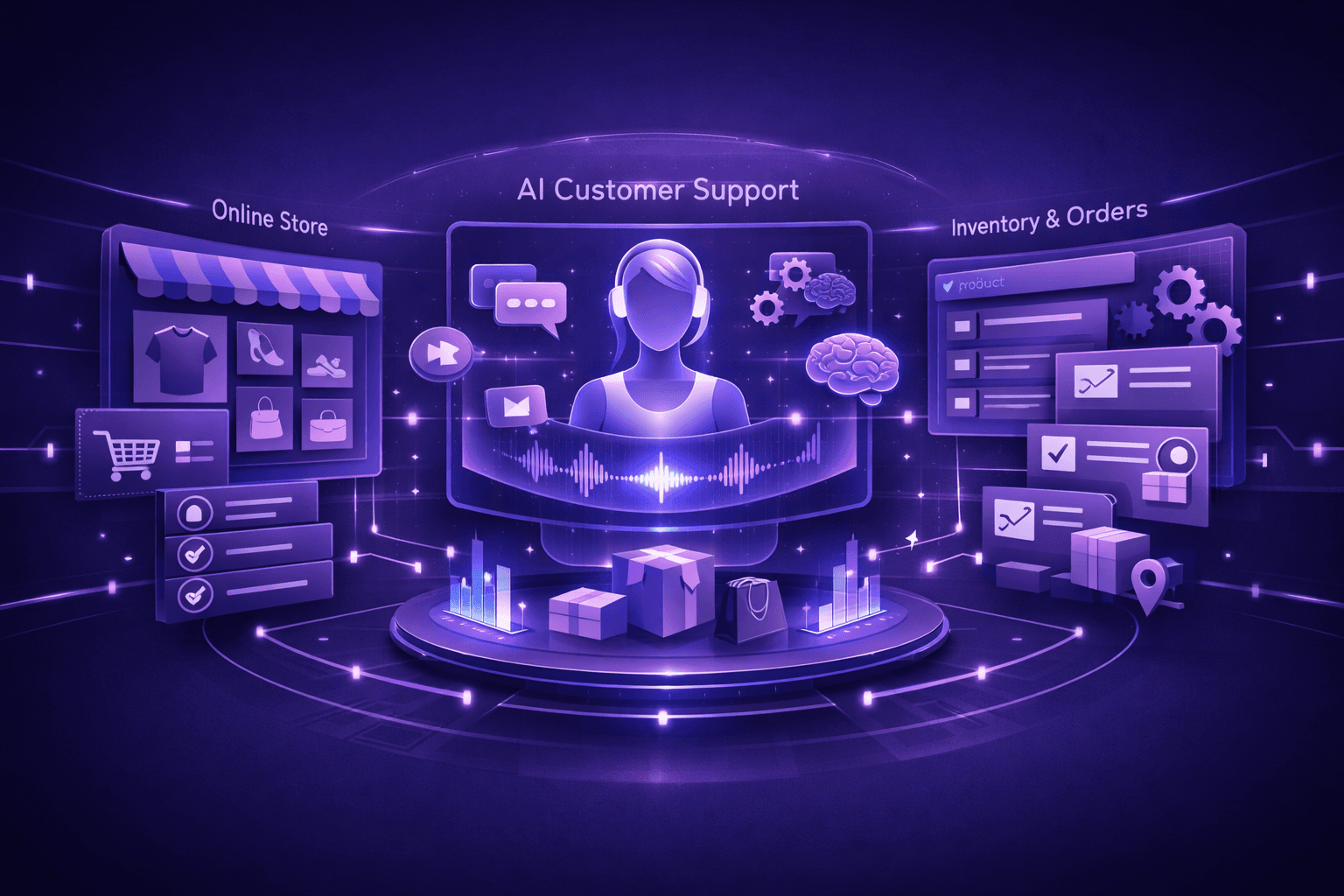
Choosing an AI chatbot for your WooCommerce store isn't about finding the "best" solution universally—it's about finding the right fit for your specific needs, budget, and technical capabilities. Some stores need deep WooCommerce integration with order management. Others prioritize multilingual support for international customers. Still others need advanced product recommendation engines.
This guide evaluates AI chatbots specifically for WooCommerce stores, comparing features that matter for e-commerce support, analyzing WooCommerce integration depth, and helping you match solutions to your requirements.
What makes a WooCommerce chatbot actually good
Generic chatbot features don't necessarily translate to effective e-commerce support. WooCommerce stores need specific capabilities:
WooCommerce REST API integration: The chatbot must access your store data directly—orders, products, customers, inventory. Solutions that require manual data entry or periodic imports create maintenance burdens and provide outdated information to customers.
Order management capabilities: Customers ask about order status constantly. The chatbot should pull tracking information, delivery estimates, and order details automatically without requiring order numbers from customers every time.
Product catalog integration: The chatbot needs real-time access to your product catalog—titles, descriptions, variations, stock levels, pricing, and custom attributes. It should understand product relationships and suggest alternatives when items are unavailable.
Cart awareness: Advanced chatbots detect what's in the customer's current cart and provide contextual help for those specific products. This capability directly increases conversion rates by addressing abandonment triggers.
Shipping and payment integration: The chatbot should answer shipping cost questions, explain delivery timeframes, troubleshoot payment failures, and validate coupon codes—all using data from your actual WooCommerce configuration.
Escalation workflow: When AI can't handle an inquiry, seamless escalation to human agents with full conversation context prevents customers from repeating themselves.
WordPress ecosystem compatibility: WooCommerce runs on WordPress, often with multiple plugins for subscriptions, bookings, memberships, or custom functionality. The chatbot needs to work within this ecosystem without conflicts.
Performance impact: E-commerce sites can't afford slow load times. The chatbot implementation should load asynchronously, use CDN delivery, and have minimal impact on Core Web Vitals.
Security and compliance: The chatbot accesses customer data and order information. Look for SOC 2 compliance, data encryption, GDPR compliance, and PCI DSS adherence for payment-related conversations.
Related reading: AI Customer Support for WooCommerce Stores
How to evaluate WooCommerce chatbots
Before comparing specific solutions, establish evaluation criteria based on your store's needs:
Business requirements
Support volume: How many customer inquiries do you receive monthly? Solutions priced per conversation become expensive at scale. Flat-rate pricing makes more sense for high-volume stores.
Operating hours: If you need 24/7 support, AI provides instant responses outside business hours. If you already have round-the-clock human support, focus on AI's efficiency rather than availability.
International scope: Stores serving multiple countries need multilingual support and international shipping expertise. Not all chatbots handle multiple languages equally well.
Revenue size: ROI calculations differ dramatically between a store doing $10K monthly and one doing $500K. The larger store can justify premium solutions with advanced features; the smaller store needs proven basics at minimal cost.
Technical requirements
Integration complexity: Evaluate your technical capabilities honestly. Some solutions require developer involvement for WooCommerce API setup. Others offer plugin-based installation requiring no coding.
Existing tech stack: Consider your current helpdesk (Zendesk, Gorgias, Help Scout), shipping providers (ShipStation, Easyship), and subscription platforms (WooCommerce Subscriptions, Recharge). The chatbot should integrate with your existing tools, not require replacements.
Customization needs: Generic responses work for some stores. Others need brand voice customization, industry-specific terminology, or unique policy handling. Assess how much control you need over chatbot behavior.
Maintenance capacity: Some solutions require ongoing response refinement, knowledge base updates, and integration maintenance. Others learn automatically with minimal intervention. Match maintenance requirements to your team's capacity.
Use case prioritization
Identify your top 3-5 highest-volume support categories. These typically include:
- Order status and tracking
- Shipping costs and delivery timeframes
- Returns and refunds
- Product questions and recommendations
- Payment and checkout issues
- Stock availability and restock notifications
Evaluate chatbots based on how well they handle YOUR specific high-volume categories, not generic e-commerce features.
Related reading: Common WooCommerce Support Problems AI Can Solve
Comparing WooCommerce chatbot solutions
AI chatbot solutions for WooCommerce fall into several categories, each with different strengths:
Native WooCommerce chatbot plugins
Characteristics: WordPress plugins built specifically for WooCommerce integration. Install directly from the WordPress plugin repository or vendor websites.
Strengths:
- One-click installation through WordPress admin
- Native WooCommerce integration without API configuration
- Familiar WordPress-style administration interface
- Minimal setup complexity—often works immediately after installation
- Designed specifically for e-commerce use cases
- Typically affordable pricing for small-to-medium stores
Weaknesses:
- May lack advanced AI capabilities compared to standalone platforms
- Limited customization compared to enterprise solutions
- Performance varies—some plugins impact site speed
- Updates and maintenance depend on plugin developer responsiveness
- May not integrate well with non-WooCommerce plugins
Best for: Small-to-medium WooCommerce stores (under 1,000 orders/month) wanting quick setup without technical complexity. Stores prioritizing WooCommerce-specific features over advanced AI capabilities.
Example use case: A boutique fashion store with 300 monthly orders needs to automate order tracking and size questions. They want something that works immediately without developer involvement. A native WooCommerce plugin provides the basics they need at $50-150/month.
E-commerce-focused AI platforms
Characteristics: Standalone platforms designed for e-commerce support across multiple platforms (Shopify, WooCommerce, BigCommerce). WooCommerce integration via REST API.
Strengths:
- Advanced AI capabilities with sophisticated natural language understanding
- Comprehensive e-commerce feature sets across order management, products, shipping, returns
- Platform-agnostic—work if you switch platforms later or run multi-platform operations
- Robust analytics and reporting on chatbot performance
- Typically include escalation workflow to human agents
- Regular AI model updates and improvements
Weaknesses:
- Require WooCommerce REST API configuration during setup
- More expensive than basic plugins ($200-800/month typical)
- May include features you don't need if focused only on WooCommerce
- Steeper learning curve for configuration and optimization
- Pricing often scales with conversation volume or revenue
Best for: Medium-to-large WooCommerce stores (1,000+ orders/month) or stores planning to scale significantly. Businesses that value advanced AI capabilities and comprehensive analytics. Multi-platform sellers.
Example use case: A supplement store with 2,000 monthly orders needs sophisticated product recommendation logic, subscription management integration, and detailed performance analytics. They're willing to invest in setup and pay $400/month for advanced capabilities that reduce their 4-person support team to 2 people.
Generic chatbot platforms adapted for WooCommerce
Characteristics: General-purpose chatbot builders (like ManyChat, Chatfuel, or Tidio) with WooCommerce integrations added through connectors or plugins.
Strengths:
- Flexible for multiple use cases beyond customer support (marketing, lead generation)
- Often include visual flow builders for customization
- May already be familiar if used for marketing automation
- Can handle both support and proactive messaging
- Affordable entry-level pricing
Weaknesses:
- WooCommerce integration often shallow—basic data access without deep functionality
- AI capabilities vary widely—some use simple keyword matching rather than advanced NLU
- Not optimized specifically for e-commerce support workflows
- May require significant configuration to handle standard e-commerce use cases
- Support teams may lack e-commerce expertise
Best for: Stores already using these platforms for marketing who want to add basic support capabilities. Businesses prioritizing flexibility for multiple use cases over e-commerce specialization.
Example use case: A store already using Tidio for proactive cart abandonment messages wants to add basic FAQ automation without switching platforms. They accept limited AI sophistication in exchange for keeping everything in one tool they already know.
Enterprise e-commerce support platforms
Characteristics: Comprehensive customer support platforms (like Gorgias or Re:amaze) that include AI chatbot capabilities alongside human agent management, analytics, and helpdesk features.
Strengths:
- Unified platform for AI and human support—seamless escalation and collaboration
- Deep WooCommerce integration including automatic ticket creation from orders
- Advanced features like macro automation, ticket routing, and performance analytics
- Designed specifically for e-commerce operations and workflows
- Sophisticated reporting on support metrics and business impact
- Strong security, compliance, and data protection
Weaknesses:
- Expensive—typically $300-1,500+/month depending on agent seats and features
- May be overkill if you don't need advanced helpdesk features
- Learning curve for full platform utilization
- Some features require higher pricing tiers
- Minimum contract terms common
Best for: Established e-commerce businesses with dedicated support teams (3+ agents). Stores needing unified platform for AI automation and human agent management. Businesses prioritizing comprehensive support operations over chatbot-only solutions.
Example use case: An electronics retailer with 8 support agents handling 5,000+ monthly inquiries needs AI to handle routine questions while human agents focus on technical support. They need ticket management, team collaboration, and performance tracking in addition to chatbot automation. A $800/month platform that unifies everything makes sense at their scale.
Related reading: AI Customer Support for E-commerce: The Complete Guide
Key features comparison
When evaluating specific chatbot solutions, compare these capabilities:
WooCommerce integration depth
Basic integration: Accesses product catalog and order information but requires manual configuration for each data type. Limited real-time synchronization.
Advanced integration: Automatic synchronization with products, orders, customers, and inventory. Detects cart contents. Accesses custom fields and product attributes. Integrates with popular WooCommerce extensions.
Questions to ask:
- Does it sync automatically when I add/modify products?
- Can it access customer order history without requiring order numbers?
- Does it work with WooCommerce variations and custom attributes?
- Can it detect what's in a customer's cart before checkout?
- Does it integrate with my shipping and payment plugins?
AI sophistication
Keyword matching: Recognizes specific words or phrases and provides pre-written responses. Limited ability to handle variations in how customers ask questions.
Intent recognition: Understands what customers are asking even when phrased differently. "Where's my order?" "Tracking info?" and "Haven't received package" trigger the same order status workflow.
Contextual understanding: Maintains conversation context across multiple messages. Remembers what was discussed earlier in the conversation. Handles follow-up questions without requiring customers to repeat information.
Questions to ask:
- How does it handle questions phrased in different ways?
- Can it maintain context across a multi-turn conversation?
- Does it learn from interactions or require manual training?
- How accurately does it understand customer intent?
Multilingual capabilities
Translation: Responds in customer's language but quality varies. May provide literal translations that miss cultural nuances or sound unnatural.
Native multilingual: AI trained specifically in each supported language. Understands cultural communication norms. Provides natural-sounding responses appropriate to each market.
Questions to ask:
- Which languages does it support natively vs. through translation?
- Does it detect customer language automatically or require selection?
- How natural do responses sound in languages other than English?
- Can it handle region-specific product catalogs and policies?
Related reading: Multilingual AI Customer Support for Online Stores
Customization and control
Template-based: Provides pre-written response templates you can customize. Limited ability to change behavior logic or decision-making.
Flow builder: Visual interface for designing conversation flows, decision trees, and escalation rules. More control but requires ongoing maintenance.
AI training: You provide example conversations, policies, and product information. AI learns patterns and generates appropriate responses dynamically. Less manual maintenance but less explicit control over exact responses.
Questions to ask:
- How much control do I have over responses?
- Can I customize escalation triggers and handoff behavior?
- Does it support A/B testing different response approaches?
- How difficult is ongoing maintenance and optimization?
Analytics and reporting
Basic metrics: Conversation volume, response time, resolution rate. Minimal insight into business impact or improvement opportunities.
Advanced analytics: Automation rate by category, customer satisfaction by chatbot vs. human, conversation topic analysis, revenue impact tracking, escalation pattern identification.
Questions to ask:
- What metrics can I track?
- Can I see which inquiry types get automated successfully vs. escalated?
- Does it track business outcomes (conversion rate, revenue) not just operational metrics?
- Can I identify knowledge gaps and improvement opportunities?
Related reading: AI Customer Support Metrics That Actually Matter
Escalation and human handoff
Basic escalation: Provides link to contact form or email when AI can't answer. Customer starts over with human agent.
Seamless handoff: Transfers conversation to human agent with full context. Agent sees entire conversation history. Customer doesn't repeat information.
Smart routing: Routes escalations to specific agents or teams based on inquiry type, customer value, or technical complexity.
Questions to ask:
- How does escalation work technically?
- Does the human agent receive full conversation context?
- Can I define custom escalation rules (VIP customers, high-value orders)?
- Does it integrate with my existing helpdesk or require new tools?
Related reading: AI Escalation: When and How to Hand Off to Humans
Pricing models explained
WooCommerce chatbot pricing varies significantly by model:
Per-conversation pricing
You pay for each conversation the chatbot handles. Typical range: $0.10-$1.00 per conversation depending on complexity and features.
Advantages: Pay only for usage. Low risk for new implementations. Scales automatically with volume.
Disadvantages: Unpredictable monthly costs. Can become expensive at high volumes. May incentivize limiting availability to control costs.
Best for: Stores testing AI support or with highly seasonal volume. Situations where you want to prove ROI before committing to flat-rate pricing.
Flat monthly rate
Fixed monthly fee for unlimited conversations. Typical range: $50-$500/month depending on features and store size.
Advantages: Predictable costs. No penalty for high conversation volume. Encourages maximizing chatbot usage.
Disadvantages: May overpay during low-volume periods. Doesn't scale pricing to business size. Features often tiered across pricing levels.
Best for: Stores with consistent monthly volume. Businesses wanting cost predictability. High-volume stores where per-conversation pricing would be expensive.
Tiered by volume or revenue
Pricing increases with conversation volume or store revenue. Example: $100/month up to 500 conversations, $250/month for 501-2,000, $500/month for 2,001+.
Advantages: Scales with business size. Prevents overpaying when small. More affordable than per-conversation at high volumes.
Disadvantages: May outgrow pricing tiers as business grows. Volume calculations sometimes unclear. Tier jumps can be expensive.
Best for: Growing stores expecting significant volume increases. Businesses wanting usage-based pricing without per-conversation costs.
Platform subscription (chatbot included)
Part of comprehensive support platform. Chatbot capabilities included with helpdesk, agent seats, and analytics. Typical range: $300-$1,500+/month.
Advantages: Unified pricing for all support tools. Better value if you need helpdesk features anyway. Seamless AI-human integration.
Disadvantages: Expensive if you only need chatbot. May include features you don't use. Often requires minimum contract terms.
Best for: Established stores with dedicated support teams. Businesses needing helpdesk platform regardless of chatbot. Companies prioritizing unified support operations.
Implementation complexity comparison
Understanding setup requirements helps match solutions to your technical capabilities:
Plug-and-play (1-2 hours)
Native WooCommerce plugins that work immediately after installation. Configure basic settings, customize welcome message, enable on site. Minimal technical knowledge required.
What's involved:
- Install plugin from WordPress repository
- Connect to WooCommerce (automatic for native plugins)
- Customize appearance and welcome message
- Set business hours and escalation email
- Enable chatbot widget on site
Who can do it: Store owners without technical expertise. Anyone comfortable with WordPress admin.
Example solutions: Basic WooCommerce chatbot plugins, simplified AI chat widgets.
Moderate setup (1-2 weeks)
E-commerce AI platforms requiring API configuration and initial training. Technical setup followed by response refinement and testing phase.
What's involved:
- Generate and configure WooCommerce REST API credentials
- Connect shipping and payment provider integrations
- Import product catalog and configure product data mapping
- Set up escalation workflow to email or helpdesk
- Test across common inquiry types
- Refine responses based on testing
- Gradual rollout to live traffic
Who can do it: Technically comfortable store managers or junior developers. Support teams with API experience. Can often be done with vendor's setup documentation.
Example solutions: E-commerce-focused AI platforms, mid-tier chatbot services.
Complex implementation (1-3 months)
Enterprise platforms with extensive integration, customization, and team training requirements. Often involves vendor professional services or developer assistance.
What's involved:
- API integrations across multiple systems (WooCommerce, helpdesk, CRM, shipping, payments)
- Custom workflow development for unique business logic
- Team training on platform usage and optimization
- Response library development and brand voice alignment
- Escalation rule configuration and agent routing setup
- Analytics dashboard customization
- Phased rollout with A/B testing
- Ongoing optimization based on performance data
Who can do it: Requires technical team (developers, support operations) or vendor professional services. Significant project management and coordination.
Example solutions: Enterprise support platforms, highly customized AI implementations.
Matching solutions to store size and needs
Different WooCommerce stores benefit from different chatbot approaches:
Small stores (under $50K monthly revenue, under 500 orders/month)
Priorities: Low cost, quick setup, basic automation for highest-volume inquiries.
Recommended approach: Native WooCommerce chatbot plugin with core automation for order tracking and basic FAQ. Look for $50-150/month flat-rate pricing with minimal setup complexity.
Key features needed:
- Order status lookup
- Shipping cost information
- Return policy explanation
- Basic product questions
- Email escalation when AI can't answer
Avoid: Per-conversation pricing (gets expensive as you grow). Enterprise platforms (overkill for volume). Complex integrations (ROI doesn't justify effort).
Medium stores ($50K-$300K monthly revenue, 500-2,000 orders/month)
Priorities: Balance between cost and capability. Automation for multiple inquiry types. Performance analytics to prove ROI and optimize.
Recommended approach: E-commerce-focused AI platform with WooCommerce API integration. Invest in proper setup. Look for $200-500/month with scalable pricing as volume grows.
Key features needed:
- All small store features plus:
- Product recommendations and comparisons
- Returns processing automation
- Subscription management (if applicable)
- Multilingual support (if selling internationally)
- Performance analytics and reporting
- Helpdesk integration for escalation
- Proactive support (order confirmations, shipping notifications)
Avoid: Basic plugins (limited sophistication for your volume). Per-conversation pricing above 1,000 monthly conversations (flat-rate becomes cheaper).
Large stores ($300K+ monthly revenue, 2,000+ orders/month)
Priorities: Maximum automation rate. Seamless AI-human collaboration. Detailed analytics for continuous improvement. Integration across entire tech stack.
Recommended approach: Enterprise e-commerce support platform or premium AI chatbot with comprehensive features. Budget $500-1,500+/month. Allocate time for proper implementation.
Key features needed:
- All medium store features plus:
- Advanced product catalog integration including custom attributes
- Cart awareness and checkout integration
- Smart escalation with agent routing
- Comprehensive analytics and business impact tracking
- A/B testing for response optimization
- Multi-channel support (chat, email, social)
- Custom workflow development
- Security compliance (SOC 2, PCI DSS)
- Dedicated customer success manager
Avoid: Basic plugins (insufficient for volume and complexity). Solutions without robust analytics (need data to justify costs and optimize). Platforms that can't integrate with existing helpdesk and tools (creates operational friction).
Related reading: AI Customer Support for Small vs Large E-commerce Stores
Red flags when evaluating chatbots
Watch for warning signs that indicate poor fit or problematic solutions:
No actual WooCommerce integration: Generic chatbots labeled "works with WooCommerce" but requires manual data entry or provides only webpage scraping. Real integration accesses WooCommerce databases and APIs directly.
Vague AI claims: Marketing that emphasizes "AI-powered" without specifics about natural language understanding, learning mechanisms, or accuracy rates. Look for concrete details about AI capabilities.
No trial period or demo: Vendors confident in their solutions offer trials or live demos. Refusal to demonstrate functionality before purchase suggests the product doesn't deliver on promises.
Poor performance reviews: Check reviews specifically from WooCommerce users, not generic chatbot reviews. Look for feedback on integration quality, accuracy, and ongoing maintenance requirements.
Weak escalation story: Solutions that don't clearly explain how escalation works or that make handoff difficult indicate the vendor hasn't thought through the AI-human collaboration that's essential for effective support.
No analytics or reporting: Chatbots that don't provide data on automation rate, resolution quality, or business impact make optimization impossible. You're flying blind.
Unexpected costs: Setup fees, integration fees, training fees, or other charges not disclosed upfront in pricing. Total cost of ownership matters more than headline monthly rate.
Rigid customization: Inability to adjust responses, escalation rules, or behavior as your business evolves. E-commerce changes constantly; your chatbot must adapt.
Security and compliance vagueness: Unclear answers about data encryption, storage location, compliance certifications, or security practices. Customer data protection isn't optional.
Making the decision
After evaluating options against your requirements, use this framework to decide:
Step 1: Eliminate poor fits
Remove solutions that:
- Don't integrate properly with WooCommerce
- Exceed your budget by more than 30%
- Require technical capabilities you don't have and can't acquire
- Don't handle your top 3 highest-volume inquiry types
- Have consistently negative reviews from similar-sized WooCommerce stores
Step 2: Test remaining options
Most chatbot vendors offer free trials or demos. Actually test with:
- Your real product catalog
- Your actual policies and FAQ content
- Questions from your recent support tickets
- Multiple team members to evaluate different perspectives
Evaluate:
- How accurate are responses?
- How easy is setup and configuration?
- How intuitive is the interface?
- How helpful is vendor support during trial?
- How well does escalation work?
Step 3: Calculate true ROI
For top 2-3 candidates, calculate:
Current support costs: (Average monthly support hours) × (Hourly cost including benefits) = Monthly baseline
Projected AI costs: (Monthly subscription) + (Setup costs amortized over 12 months) = Monthly AI cost
Projected human costs after AI: (Current monthly inquiries) × (1 - Expected automation rate) × (Minutes per inquiry) × (Hourly cost) / 60 = Reduced human costs
Net monthly savings: (Monthly baseline) - (Monthly AI cost) - (Reduced human costs) = ROI
Also consider non-financial benefits:
- 24/7 availability
- Instant response time improvements
- Support team focusing on complex problems instead of repetitive questions
- Better customer experience during high-volume periods
Step 4: Start small and expand
Implement the winner with:
- Limited initial scope (2-3 use cases only)
- Gradual traffic rollout (10% → 30% → 50% → 100%)
- Close monitoring and refinement
- Expansion to additional use cases after proving initial value
This approach proves ROI quickly while limiting risk and allowing course correction before full commitment.
Common implementation mistakes to avoid
WooCommerce stores frequently make these errors when implementing chatbots:
Enabling everything immediately: Turning on all features for all traffic from day one overwhelms you with refinement needs and risks poor customer experiences. Start narrow, prove value, expand gradually.
Insufficient product data: Your chatbot can only be as good as your product information. Incomplete descriptions, missing attributes, or inconsistent variation naming creates confusion. Clean product data before AI implementation.
Ignoring escalation workflow: Focusing exclusively on automation while neglecting what happens when AI can't help frustrates customers and wastes the chatbot's context gathering. Design escalation carefully from the start.
Not monitoring performance: Implementing AI then ignoring performance data means you miss optimization opportunities and quality issues. Review metrics weekly, especially during first 90 days.
Forgetting seasonal updates: Black Friday shipping cutoffs, holiday return policy changes, and promotional periods require chatbot updates. Put chatbot updates into your seasonal preparation checklist.
No human agent training: Your support team needs to understand how the chatbot works, what it can handle, and how escalation functions. Train agents to work effectively with AI, not around it.
Getting started with WooCommerce chatbots
Ready to implement AI customer support for your WooCommerce store? Follow this path:
Week 1: Research and requirements
- Analyze last 90 days of support tickets to identify top inquiry types
- Determine monthly support costs (hours and dollars)
- Establish budget for chatbot implementation
- List must-have vs. nice-to-have features based on your specific needs
Week 2: Evaluation
- Identify 3-5 chatbot solutions matching your requirements and budget
- Request demos or free trials
- Test with your actual WooCommerce data and common support scenarios
- Calculate ROI for top candidates
Week 3: Selection and setup
- Choose solution based on fit, testing results, and ROI
- Complete initial setup and WooCommerce integration
- Configure 1-2 highest-volume use cases only
- Test internally with your team
Week 4: Pilot launch
- Enable chatbot for 10-20% of site visitors
- Monitor conversations closely
- Refine responses based on actual customer interactions
- Gather customer feedback
Weeks 5-8: Optimization and expansion
- Gradually increase traffic percentage (30% → 50% → 75% → 100%)
- Add additional use cases one at a time
- Track metrics weekly and optimize based on data
- Train support team on working with AI
Month 3+: Mature operations
- Chatbot handling 60-80% of inquiries automatically
- Support team focused on complex problems requiring human judgment
- Continuous improvement based on conversation analysis
- ROI clearly demonstrated through cost savings and customer satisfaction
The best WooCommerce chatbot for your store balances automation capability, ease of implementation, and cost-effectiveness for your specific situation. Start with realistic expectations, implement thoughtfully, and expand systematically as you prove value.
Related resources
Expand your understanding of AI customer support for WooCommerce with these resources:
- AI Customer Support for WooCommerce Stores - Comprehensive guide to AI support specifically for WooCommerce
- AI Customer Support for E-commerce: The Complete Guide - Overview of AI customer support across all e-commerce platforms
- How to Add AI Customer Support to WooCommerce - Step-by-step implementation guide for WooCommerce stores
- WooCommerce AI Chatbot: What It Can and Can't Do - Realistic expectations for WooCommerce chatbot capabilities
- AI Escalation: When and How to Hand Off to Humans - Design effective escalation workflows for seamless AI-human collaboration
Ready to choose an AI chatbot for your WooCommerce store? Start by analyzing your current support volume and costs, then evaluate solutions based on WooCommerce integration depth, features matching your top inquiry types, and realistic ROI calculations. The right chatbot pays for itself within months through reduced support costs and improved customer experience.