
How to Add AI Customer Support to WooCommerce
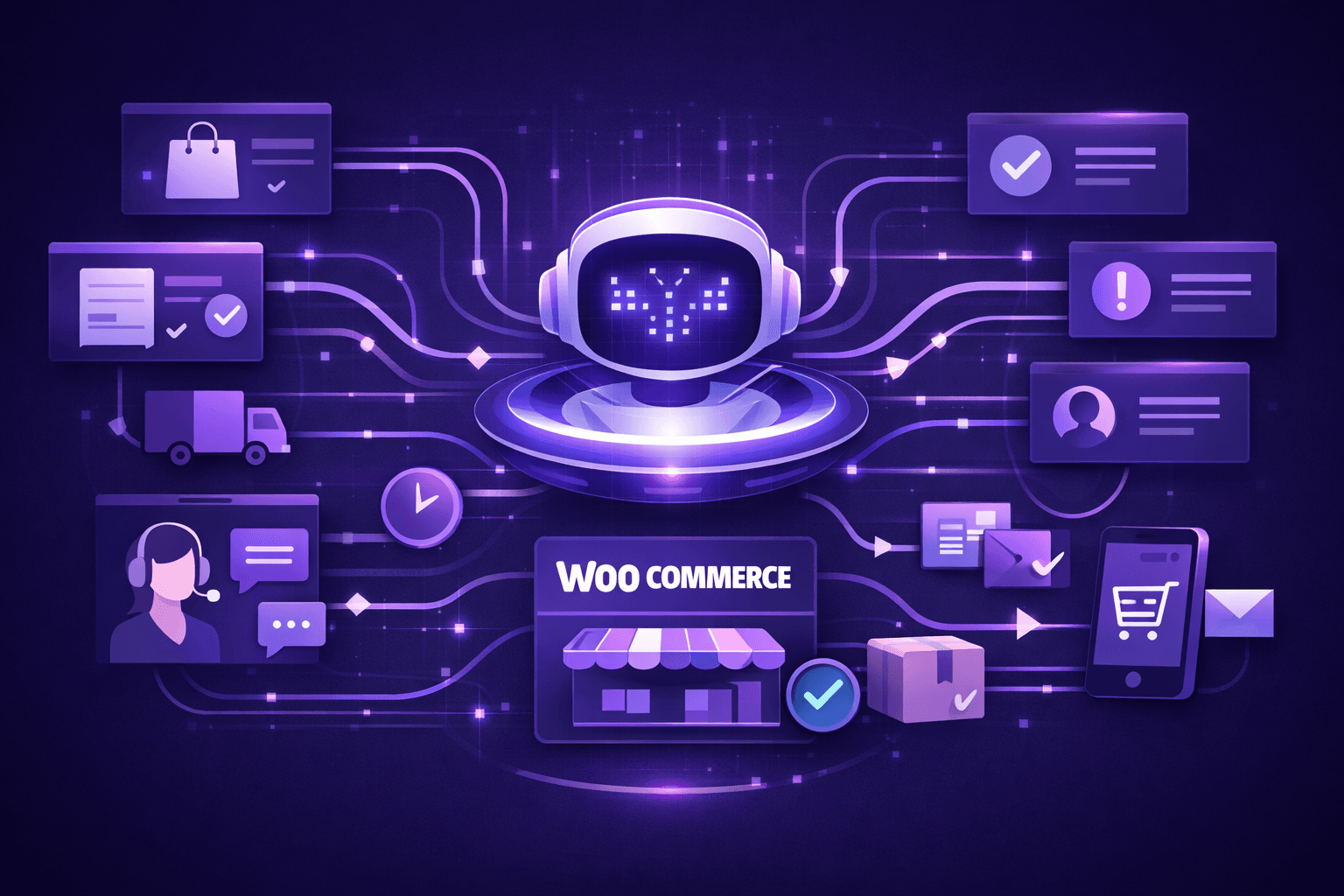
Adding AI customer support to your WooCommerce store isn't about installing a plugin and hoping for the best. It requires connecting AI to your store data, training it on your policies, and testing thoroughly before going live. This guide walks through the complete implementation process—from choosing an approach to handling your first automated conversation.
Three approaches to adding AI customer support
WooCommerce AI implementations fall into three categories, each with different trade-offs between ease of implementation and capability:
1. WordPress plugin-based solutions
WordPress plugins offer the simplest installation—activate, configure, done. Solutions like WPBot or Tidio provide WooCommerce-specific plugins that install through your WordPress admin panel.
Advantages: No coding required, familiar WordPress interface, usually include dashboard analytics, integrate with WordPress user permissions.
Limitations: Limited customization depth, fewer integration options with external tools, may conflict with other plugins, often charge per conversation which becomes expensive at scale.
Best for: Small stores ($10K-$50K monthly revenue) testing AI support for the first time, stores without technical resources, basic automation needs.
2. Third-party AI platforms with WooCommerce integration
Platforms like LiteTalk, Intercom, or Zendesk offer WooCommerce integrations through their APIs. You connect your store via REST API or OAuth, then configure the AI through the platform's interface.
Advantages: More sophisticated AI capabilities, better integration with helpdesk tools, usually flat-rate pricing (better for high volume), vendor manages updates and improvements, typically include advanced features like sentiment analysis and smart routing.
Limitations: Requires initial API setup, learning curve for platform-specific configuration, may need developer help for advanced customization.
Best for: Growing stores ($50K-$500K monthly revenue), stores planning to scale, businesses needing integration with existing helpdesk or CRM systems, teams ready for more sophisticated automation.
3. Custom implementation with AI APIs
Building custom AI support using OpenAI, Anthropic Claude, or Google's Gemini APIs gives maximum control. You write code that connects WooCommerce data to the AI model, handling everything from intent recognition to response generation.
Advantages: Complete customization, no vendor lock-in, integrate exactly the data you want, implement custom business logic, potentially lower long-term costs at very high volumes.
Limitations: Requires significant development resources, you maintain the infrastructure, responsible for security and compliance, need to build analytics from scratch, slower time to value.
Best for: Large stores ($500K+ monthly revenue) with specific requirements, technical teams comfortable with API development, stores with unique workflows that don't fit standard solutions, businesses wanting complete data control.
Related reading: Best AI Chatbots for WooCommerce Customer Support
Prerequisites: What you need before implementation
Before installing anything, verify these prerequisites:
Technical requirements
WooCommerce REST API access: Most AI solutions need API access to read orders, products, and customer data. Navigate to WooCommerce → Settings → Advanced → REST API and verify API access is enabled. If you're using a platform-based solution, you'll create API credentials here.
SSL certificate: AI customer support handles sensitive data—order information, customer details, sometimes payment data. An SSL certificate (HTTPS) is mandatory. Most hosting providers offer free Let's Encrypt certificates.
Adequate hosting resources: AI chatbots make frequent API calls to your store. Shared hosting plans often can't handle the additional load. Consider at least VPS hosting if you're implementing AI at meaningful scale.
WordPress and WooCommerce versions: Keep both updated. Many AI integrations require recent WooCommerce versions (3.5+) for certain API endpoints. Outdated software creates security vulnerabilities and compatibility issues.
Business prerequisites
Documented support policies: AI needs clear answers for returns, shipping, exchanges, and refunds. Before implementation, document these policies explicitly. Ambiguous policies lead to inconsistent AI responses.
Clean product data: AI pulls product information from your catalog. If product descriptions are incomplete, specifications are missing, or data is inconsistent, AI responses will be poor quality. Audit your product catalog before connecting AI.
Support conversation history: If you have existing customer support conversations (email, chat logs, ticket history), these help during AI training. You'll use them to identify common questions and test AI accuracy.
Step-by-step implementation guide
Step 1: Choose your AI solution
Decision criteria from most to least important:
- WooCommerce integration depth: Does it access your actual store data automatically, or does it require manual updates?
- Pricing model: Per-conversation pricing becomes expensive quickly. Flat-rate or usage-based tiers usually make more sense.
- Automation rate: What percentage of questions does the vendor claim AI handles without escalation? Look for 70-85% for routine e-commerce questions.
- Escalation workflow: How does AI hand off to humans when needed? Seamless escalation preserves context and prevents customer frustration.
- Security and compliance: SOC 2, GDPR compliance, and data encryption should be standard, not optional features.
Test free trials with real customer questions, not the vendor's demo scenarios. The goal isn't to see if AI can work—it's to verify it handles your specific questions accurately.
Related reading: AI Customer Support for WooCommerce Stores
Step 2: Set up WooCommerce API access
For plugin-based solutions, skip this step—plugins handle API access automatically. For platform-based or custom implementations:
Create API credentials:
- Navigate to WooCommerce → Settings → Advanced → REST API
- Click "Add key"
- Description: Name it after your AI platform (e.g., "LiteTalk API Access")
- User: Select an admin user (AI needs read permissions for orders and products)
- Permissions: Choose "Read" unless AI will process returns/refunds, in which case select "Read/Write"
- Click "Generate API Key"
Save credentials securely: WooCommerce displays Consumer Key and Consumer Secret once. Copy both immediately to your AI platform's integration settings. Store a backup copy in your password manager.
Test API access: Most AI platforms provide an API connection test. Run it before proceeding. If the test fails, common issues include:
- Incorrect credentials (copy-paste errors)
- Server firewall blocking API requests
- Permalinks not configured (WooCommerce requires pretty permalinks for REST API)
- IP whitelist restrictions on your hosting
Step 3: Connect your product catalog
AI needs access to your product information to answer questions about availability, specifications, pricing, and alternatives.
Data AI typically needs:
- Product titles and descriptions
- SKUs and variants (sizes, colors, etc.)
- Stock levels and availability
- Pricing (including sale prices)
- Product categories and tags
- Custom attributes (materials, dimensions, compatibility)
- Product images (some AI platforms use image recognition)
Integration methods vary:
- Plugin-based solutions usually sync automatically after activation
- Platform-based solutions pull data via WooCommerce REST API on a schedule (often hourly or daily)
- Custom implementations need to decide: real-time API calls vs. periodic syncs
Test product integration: After connecting your catalog, ask the AI specific product questions:
- "Do you have [specific product] in stock?"
- "What's the difference between [product A] and [product B]?"
- "What size should I get for [product]?"
If responses are generic ("Let me check our catalog...") rather than specific ("Yes, we have the Blue Medium Widget in stock at $29.99"), the product integration isn't working correctly.
Step 4: Configure order management integration
Order status questions represent 30-40% of customer support volume. AI should answer these automatically without requiring customers to provide order numbers every time.
Order data AI needs access to:
- Order status (processing, shipped, delivered, etc.)
- Tracking numbers and carrier information
- Delivery estimates
- Order items and quantities
- Payment status
- Shipping address
Implementation approach: Most AI platforms identify customers by email address. When a customer asks "Where's my order?", AI searches recent orders for that email, then provides status. This works well for most scenarios but requires fallback handling for:
- Multiple orders from the same email
- Gift orders shipped to different addresses
- Customers asking about someone else's order
Security consideration: Verify identity before showing order details. Most platforms authenticate by email match, but for sensitive situations (order cancellations, address changes), require additional verification like order number or last four digits of the payment card.
Test order integration: Place a test order, then message AI support asking about it:
- "Where's my order?"
- "When will my order arrive?"
- "I need my tracking number"
AI should pull the correct order and provide specific information without asking for the order number (assuming you're using the same email address).
Related reading: AI for WooCommerce Order Tracking Support
Step 5: Set up returns and refund automation
Returns and refunds are high-value automation targets but require careful policy configuration to avoid creating problems.
Policy questions to document:
- Return window (30 days? 60 days?)
- Items excluded from returns (final sale, custom items)
- Return shipping cost responsibility
- Refund method (original payment method, store credit)
- Exchange process
- Restocking fees (if any)
Return workflow configuration: Most AI platforms handle returns through these steps:
- Customer initiates return request
- AI verifies order exists and is within return window
- AI checks if items are returnable (not final sale, not custom)
- AI provides return instructions (shipping address, whether to include original packaging)
- AI generates return label (if your policy includes prepaid returns)
- AI sets customer expectation for refund timing
When to escalate to humans: Configure AI to escalate returns involving:
- High-value orders (set your threshold: $500? $1000?)
- Damaged or defective items (may need photos or inspection)
- Return window expired but customer has extenuating circumstances
- International returns (often require custom handling)
Test return handling: Submit test return requests for various scenarios:
- Standard return within window
- Return request outside window
- Final sale item
- Damaged item claim
Verify AI applies your policies correctly and escalates appropriately.
Related reading: AI Customer Support for WooCommerce Returns and Refunds
Step 6: Train AI on your brand voice and policies
Generic AI responses sound robotic and damage your brand. Spend time training AI to match your communication style.
Brand voice elements to configure:
- Formality level (casual vs. professional)
- Preferred phrases (e.g., "We've shipped your order" vs. "Your order has been dispatched")
- What to call customers ("friend", "there", by name, "valued customer")
- Emoji usage (if any)
- How to handle complaints (apologize immediately, use specific phrases)
Policy training: Beyond returns and shipping, document policies for:
- Price matching
- Bulk order discounts
- Wholesale inquiries
- Product customization requests
- Gift wrapping or messaging
- Subscription management (if applicable)
- Loyalty program questions
Example policy documentation format:
Topic: Price matching
Question patterns: "Do you price match?", "I found this cheaper elsewhere", "Can you match this price?"
Policy: We match prices from authorized retailers within 7 days of purchase
Requirements: Customer provides competitor URL, item must be in stock at both stores, excludes clearance/liquidation sales
Response template: "Yes, we offer price matching! If you found [product] at a lower price from an authorized retailer, we'll match it within 7 days of your purchase. Could you share the competitor's URL? I'll verify the price and process your adjustment."
Escalation: If competitor isn't authorized retailer or price seems unrealistic, escalate to human agent
Platform-based solutions usually provide a training interface where you add these policies. Custom implementations require building this logic into your code.
Step 7: Implement and test escalation workflow
Even well-configured AI needs human backup. Proper escalation ensures customers never feel trapped talking to a bot.
When AI should escalate:
- Customer explicitly requests human agent ("I want to talk to a person")
- AI confidence is low (doesn't understand the question)
- Sensitive situations (complaints, refund disputes, damaged items)
- Complex scenarios (combining multiple requests, unique circumstances)
- After N back-and-forth messages without resolution (typically 3-4)
Escalation methods:
- Real-time chat handoff (if you have live agents)
- Email ticket creation (for asynchronous support)
- Callback request (collect phone number and preferred time)
- Priority queue flag (humans handle escalated conversations first)
Context transfer is critical: When AI escalates, the human agent needs full conversation history. Nothing frustrates customers more than repeating themselves. Most platforms handle this automatically, but verify during testing.
Test escalation scenarios:
- Say "I want to speak to a human" mid-conversation
- Ask intentionally confusing questions
- Report a serious complaint
- Verify humans receive complete conversation context
Related reading: AI Escalation: When and How to Hand Off to Humans
Step 8: Configure chat widget display
Where and when the chat widget appears affects usage rates and customer experience.
Display options:
- Always visible (bottom right corner)
- Appear after N seconds on page
- Appear on specific pages (product pages, checkout, order confirmation)
- Appear on exit intent (mouse moves toward browser close)
- Mobile vs. desktop variations
Best practices from e-commerce implementations:
- Product pages: Display immediately. Customers have specific questions about items they're considering.
- Cart page: Display after 10-15 seconds. If customers linger, they likely have concerns.
- Checkout page: Display immediately but minimize intrusiveness. Make help available but don't disrupt the purchase flow.
- Post-purchase page: Display immediately offering assistance with the order they just placed.
- Blog/content pages: Delay display or hide entirely—readers aren't in "shopping mode."
Proactive messaging: Some platforms support proactive messages—AI initiates conversation based on behavior:
- "Need help finding the right size?"
- "Have questions about shipping?"
- "I noticed you have items in your cart. Can I answer any questions?"
Use proactively sparingly. Testing shows 1-2 proactive messages per session performs well; more feels intrusive and decreases engagement.
Step 9: Soft launch and monitoring
Don't launch to your entire audience immediately. Start with limited exposure to identify issues before they affect many customers.
Soft launch strategies:
- Geography-based: Launch to one country or region first
- Traffic-based: Show to 10% of visitors, gradually increase
- New customers only: Existing customers continue with old support channel while you test AI
- Specific pages: Enable on product pages before checkout or account pages
- After-hours only: Launch during non-business hours when stakes are lower
Metrics to monitor daily during soft launch:
- Automation rate: Percentage of conversations AI handles without escalation (target: 70-85%)
- Escalation rate: Should decrease over time as you refine AI configuration
- Resolution rate: Did AI actually solve the customer's problem?
- Customer satisfaction: Post-conversation ratings (target: 4+/5)
- Response accuracy: Manual review of random conversations—is AI providing correct information?
- Error rate: How often does AI provide wrong order information, incorrect prices, or nonexistent products?
Daily review process: Review 10-20 random AI conversations daily, focusing on:
- Did AI understand the question correctly?
- Was the response accurate and helpful?
- Did AI use appropriate brand voice?
- Should AI have escalated but didn't?
- Did AI escalate unnecessarily?
Use these reviews to refine policies, adjust escalation triggers, and improve response templates.
Common implementation mistakes
Mistake 1: Launching without adequate product data
AI can only provide answers based on available data. Stores with incomplete product information get poor results:
- Missing product descriptions lead to generic responses
- Incomplete specifications prevent AI from answering compatibility questions
- Incorrect stock levels create customer frustration
- Missing product images reduce AI's ability to help with visual questions
Solution: Audit your product catalog before connecting AI. Fill in missing descriptions, verify specifications are accurate, and ensure stock levels sync correctly.
Mistake 2: Overestimating initial automation rates
First-month automation rates are always lower than steady-state rates. Early implementations typically see:
- Month 1: 40-60% automation
- Month 2: 55-70% automation
- Month 3: 70-85% automation
The learning curve exists for both AI (accumulating knowledge) and your team (identifying policy gaps).
Solution: Plan for a 90-day optimization period. Don't judge success based on week-one metrics.
Mistake 3: Poor escalation design
Some stores make escalation difficult, hoping to maximize automation rates. This backfires spectacularly—frustrated customers leave poor reviews and abandon purchases.
Solution: Make escalation obvious and immediate. Include a persistent "Talk to a human" button in every AI response. Better to escalate 30% of conversations than trap customers in unhelpful AI loops.
Mistake 4: No ongoing optimization
AI accuracy degrades over time if not maintained:
- Policies change but AI isn't updated
- New products launch without updated descriptions
- Seasonal questions emerge that AI isn't prepared for
- Inventory systems change, breaking API integrations
Solution: Schedule monthly AI optimization sessions. Review problematic conversations, update policies, refine responses, and verify integrations are functioning correctly.
Mistake 5: Ignoring mobile experience
60-70% of e-commerce traffic comes from mobile devices, but many stores only test AI on desktop.
Solution: Test every aspect of implementation on mobile:
- Widget display and sizing
- Response readability
- Escalation button accessibility
- Conversation persistence (what happens if they close the tab?)
Measuring implementation success
Track these metrics to evaluate whether AI customer support achieves your goals:
Operational metrics
Support volume handled: Total conversations managed by AI divided by total support inquiries. Track this weekly to see automation progress.
Escalation rate: Percentage of AI conversations transferred to humans. Lower isn't always better—proper escalation improves overall customer satisfaction.
First contact resolution: Did AI solve the customer's problem in one conversation? This matters more than automation rate.
Average handle time: For escalated conversations, does AI's preliminary assistance reduce time humans spend per ticket?
Business impact metrics
Support cost per conversation: Total support costs (tools, personnel) divided by conversation volume. Should decrease as AI handles more volume.
Response time: Average time from customer message to first response. AI should drive this toward zero for automated responses.
Customer satisfaction (CSAT): Post-conversation ratings specifically for AI interactions. Target 4+ out of 5.
Conversion impact: For pre-purchase conversations, what percentage lead to orders? AI that answers product questions should increase conversion rates.
Revenue impact
Track revenue metrics for customers who used AI support versus those who didn't:
- Conversion rate
- Average order value
- Return rate
- Repeat purchase rate
Effective AI support should improve most or all of these metrics by reducing friction and building confidence.
Related reading: AI Customer Support Metrics That Actually Matter
Optimization after launch
Implementation doesn't end at launch. Plan for ongoing optimization:
Month 1: Fix critical issues
Focus on accuracy problems and technical issues:
- AI providing incorrect information
- Integration failures (wrong orders, wrong products)
- Escalation not working properly
- Major policy gaps
Review conversations daily and address these immediately.
Month 2: Improve automation rate
Analyze escalated conversations to identify opportunities:
- Questions AI should handle but doesn't
- Policies that need clarification
- New question types that emerged
- Frequent misunderstandings
Add these scenarios to AI training.
Month 3: Refine customer experience
Focus on improving quality rather than quantity:
- Brand voice consistency
- Response efficiency (fewer words, more clarity)
- Proactive assistance timing
- Mobile experience optimization
Ongoing: Scale and expand
After three months of stable operation:
- Expand to additional languages if serving international customers
- Add more sophisticated features (product recommendations, proactive support)
- Integrate with additional systems (CRM, inventory, subscriptions)
- Implement advanced analytics and reporting
Getting started today
If you're ready to implement AI customer support for your WooCommerce store:
- Document your current support volume and costs: Establish baseline metrics so you can measure improvement accurately
- Choose your implementation approach: Plugin, platform, or custom based on your technical capabilities and requirements
- Audit your product catalog: Fix gaps in product data before connecting AI
- Start with a limited scope: Pick one support category (order status, product questions, returns) and automate it well before expanding
- Plan for three months of optimization: Success requires iteration, not set-it-and-forget-it
The stores seeing the best results from AI customer support didn't achieve them overnight. They implemented systematically, measured rigorously, and optimized continuously.
Ready to implement AI customer support for your WooCommerce store? Learn more about AI Customer Support for WooCommerce or explore what AI can automate for e-commerce stores.
Related articles: