
WooCommerce Customer Support Automation Best Practices
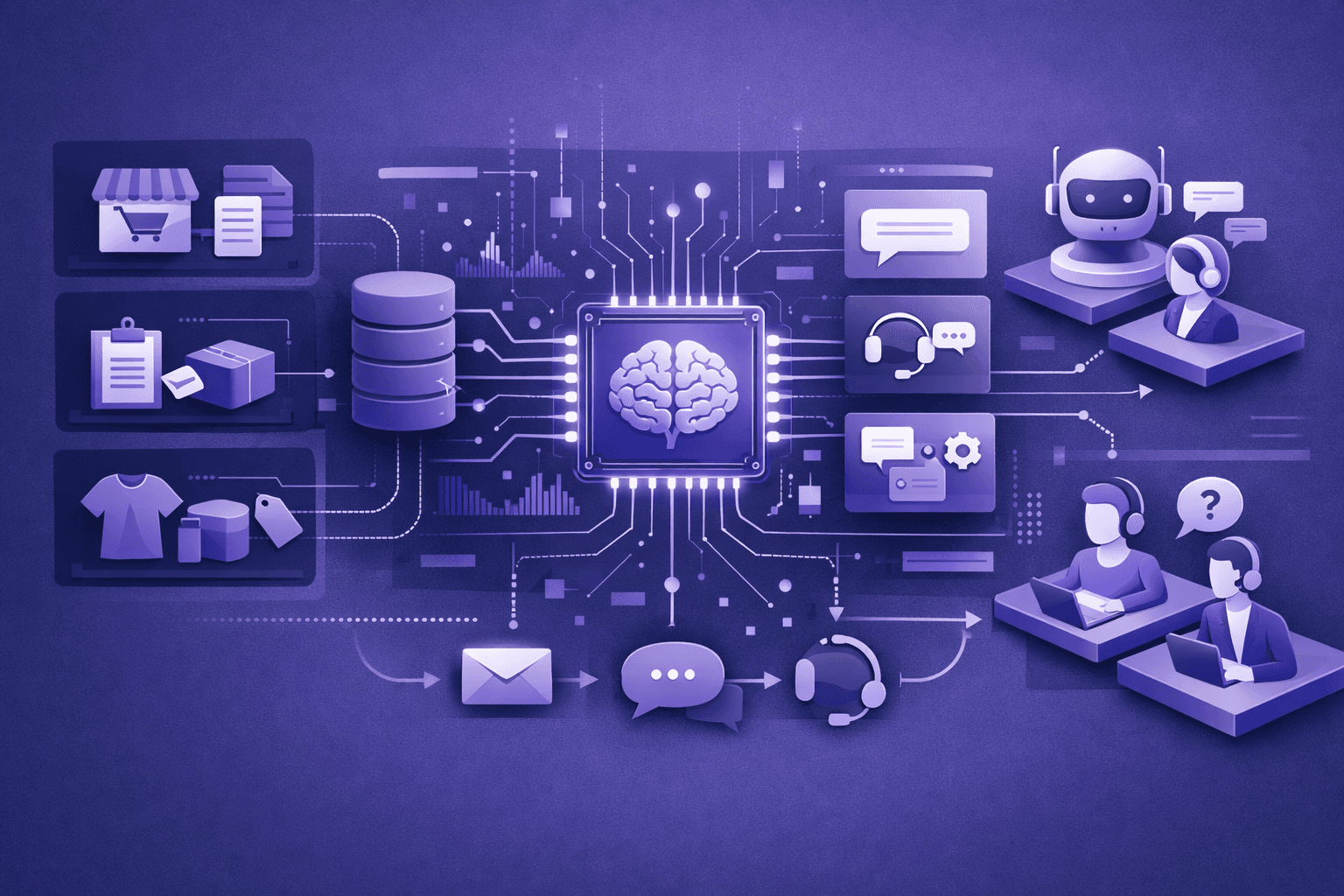
Implementing AI customer support for your WooCommerce store represents just the beginning. The difference between automation that frustrates customers and automation that delights them while reducing costs comes down to execution—how you configure, optimize, and manage your AI system.
Most WooCommerce stores make predictable mistakes during implementation: automating too much too fast, neglecting escalation workflows, ignoring data quality, or failing to optimize based on actual performance. These missteps create customer friction, missed sales opportunities, and support team frustration.
This guide covers proven best practices for WooCommerce customer support automation, from initial implementation through ongoing optimization. These strategies come from real WooCommerce stores that achieved 70-85% automation rates while maintaining or improving customer satisfaction.
Related reading: AI Customer Support for WooCommerce Stores
Start with high-volume, low-complexity use cases
The most successful WooCommerce automation implementations follow a progressive approach, starting with the easiest wins and gradually expanding scope.
Identify your highest-volume support questions
Before automating anything, analyze your current support tickets to understand where volume concentrates. Most WooCommerce stores see 60-80% of inquiries fall into 5-8 categories:
Order status and tracking typically represents 30-40% of all support tickets. These inquiries follow predictable patterns ("Where's my order?", "When will it arrive?", "What's my tracking number?") and require straightforward API integration with WooCommerce orders and shipping carriers.
Return and refund questions account for 15-25% of tickets. Customers want to know return eligibility, policy details, how to initiate returns, and refund timelines—all questions AI can answer by accessing order data and your return policy.
Product information inquiries make up 10-20% of volume. Customers ask about sizing, materials, compatibility, stock availability, and specifications already documented in your product catalog.
Shipping and delivery questions represent 10-15% of tickets. Pre-purchase shipping cost questions and post-purchase delivery concerns both benefit from automation.
Payment and checkout issues create 5-10% of tickets but have outsized revenue impact. These inquiries happen when customers can't complete purchases, making fast resolution critical.
Start by automating your highest-volume category first. This approach:
- Delivers immediate, measurable impact on support team workload
- Provides clear success metrics for evaluating AI performance
- Builds team confidence in automation before tackling complex cases
- Generates customer feedback for optimization while stakes stay low
Learn more: Common WooCommerce Support Problems AI Can Solve
Begin with order tracking automation
Order tracking represents the ideal first automation target for most WooCommerce stores:
High automation potential: 85-95% of tracking inquiries can be fully automated. Questions follow predictable patterns, answers come from definitive data sources (WooCommerce orders, shipping carrier APIs), and edge cases are rare.
Low customer risk: Tracking information is factual and verifiable. Even if AI provides incomplete information, customers can fall back to tracking numbers and carrier websites without significant friction.
Clear success metrics: Measure automation rate (percentage of tracking inquiries handled without human intervention), response time improvement, and support ticket reduction.
Straightforward integration: WooCommerce REST API provides order and shipping data. Most shipping carriers offer tracking APIs. Integration complexity stays manageable.
A home goods WooCommerce store implemented order tracking automation as their first use case. Results after 30 days:
- 92% of tracking inquiries automated completely
- Average response time: 8 seconds (previously 4.2 hours)
- 178 support tickets prevented monthly
- 32 hours of support team time recovered
This early win created momentum for expanding automation to returns, product questions, and shipping inquiries.
Learn more: AI for WooCommerce Order Tracking Support
Expand methodically to adjacent use cases
After proving AI works for one use case, expand to adjacent categories rather than trying to automate everything simultaneously:
Order tracking → Shipping questions: Once AI handles "Where's my order?", add pre-purchase shipping questions like delivery timeframes and costs.
Product information → Inventory questions: After automating product specs and features, add stock status and restock notification capabilities.
Return policy → Return initiation: Start with return eligibility and policy explanations, then add return label generation and exchange processing.
This methodical expansion prevents overwhelming your team, allows focused optimization of each use case, and maintains customer experience quality as automation scope grows.
Prioritize data quality and integration depth
AI automation quality depends entirely on data quality. Garbage in, garbage out applies ruthlessly to customer support automation.
Ensure complete product catalog data
AI can only answer product questions using information available in your WooCommerce product catalog. Incomplete, outdated, or inconsistent product data creates inaccurate responses and customer frustration.
Product descriptions: Write comprehensive descriptions covering features, benefits, use cases, and specifications. Avoid marketing fluff without substance. Customers ask specific questions; product descriptions need specific answers.
Variation attributes: For variable products, clearly define all attributes (size, color, material, style). Include size charts, fit guidance, and variant-specific details. AI uses this structured data to answer sizing and compatibility questions.
Product specifications: Populate all relevant spec fields—dimensions, weight, materials, care instructions, warranty coverage, compatibility requirements. These details answer the majority of product information questions.
Product categories and tags: Proper categorization helps AI understand product relationships, suggest alternatives, and provide contextual recommendations.
Stock status accuracy: Real-time inventory accuracy prevents AI from promising products you can't deliver. Sync WooCommerce stock levels with your actual inventory system.
A fashion WooCommerce store improved product description completeness from 60% to 95% (adding detailed size charts, fabric composition, care instructions, and fit guidance to all products). AI product question automation rate increased from 58% to 82% without changing AI configuration—better data quality drove better automation.
Integrate shipping and tracking systems properly
Shipping automation requires accurate integration with WooCommerce shipping methods and external carrier APIs:
Shipping zones and methods: Configure WooCommerce shipping zones completely with accurate rates, delivery timeframes, and restrictions. AI pulls this data to answer pre-purchase shipping questions.
Carrier API integration: Connect to shipping carrier APIs (USPS, FedEx, UPS, DHL) for real-time tracking data. Don't rely solely on WooCommerce tracking numbers—carrier APIs provide location, status updates, and delivery photos.
Tracking number automation: Ensure your fulfillment process automatically adds tracking numbers to WooCommerce orders. Manual tracking number entry creates gaps in AI's ability to provide tracking information.
Multi-package handling: For orders shipped in multiple packages, track each package separately and ensure AI can explain the split shipment to customers.
Maintain accurate return and refund policies
Return automation requires clear, documented policies accessible to AI:
Policy documentation: Write comprehensive return and refund policies covering timeframes, condition requirements, eligible/ineligible items, refund methods, and processing timelines. Store these policies where AI can reference them.
Product-specific exceptions: Document category or product-specific return restrictions (final sale items, personalized products, perishables). Add this information to product data or policy documentation.
Return window accuracy: Ensure AI calculates return eligibility based on actual order dates from WooCommerce, not customer claims. Integration with order data prevents policy violations.
Refund timeline accuracy: Set realistic refund processing timelines and communicate them consistently. AI should provide specific timeframes based on refund method (original payment, store credit, exchange).
Learn more: AI Customer Support for WooCommerce Returns and Refunds
Design effective escalation workflows
The best AI customer support systems know when to escalate to humans. Poor escalation design creates customer frustration, damages satisfaction, and undermines automation value.
Define clear escalation triggers
Establish specific criteria that trigger human escalation:
High-value situations: Escalate orders above a certain threshold (e.g., $500+) or VIP customers automatically. These situations justify human attention regardless of inquiry complexity.
Explicit escalation requests: When customers ask to speak with a human, escalate immediately without resistance. Fighting customer requests for human help damages relationships.
Emotional distress indicators: Escalate conversations showing frustration, anger, or urgency. AI can detect language patterns indicating emotional distress—"this is ridiculous", "I've tried three times", "I need help NOW". These situations benefit from human empathy and problem-solving flexibility.
Complex problem indicators: Escalate when inquiries involve multiple issues, contradictory information, or edge cases outside standard policies. Signs include: AI providing same answer repeatedly without resolution, customer explaining situation multiple times, or conversations exceeding 8-10 messages.
Policy exception requests: Escalate any request for policy exceptions (returns outside window, partial refunds, special shipping arrangements). AI should collect context and route to humans for judgment calls.
Security and fraud concerns: Escalate immediately when inquiries involve account access issues, suspicious activity, payment disputes, or security concerns. These situations require human verification and judgment.
A supplements WooCommerce store implemented tiered escalation triggers:
- Immediate escalation: Orders over $300, explicit human requests, suspected fraud
- Context collection then escalation: Return exceptions, complex product compatibility questions, shipping address changes after order placement
- Monitor and escalate if unresolved: General product questions, order status inquiries (escalate if not resolved in 3 messages)
This structured approach achieved 78% automation rate while maintaining 4.7/5 CSAT scores—higher than their previous human-only support.
Learn more: AI Escalation: When and How to Hand Off to Humans
Ensure seamless context transfer
When AI escalates to humans, the handoff must be smooth:
Complete conversation history: Provide human agents with the full conversation transcript, showing what AI already tried, what information the customer provided, and where automation failed.
Relevant data attachment: Include order numbers, product IDs, customer account details, and any data AI accessed during the conversation. Human agents shouldn't re-request information customers already provided.
Escalation reason tagging: Tag escalations with the specific trigger (high-value order, explicit request, policy exception, complex issue, emotional distress). This helps agents prioritize appropriately and understand context quickly.
Customer notification: Inform customers when escalation occurs: "I'm connecting you with our support team who can help with this. They'll have our full conversation history and will respond within [timeframe]."
Priority queue routing: Route different escalation types to appropriate queues. VIP customers and revenue-impacting issues (payment failures, checkout problems) need faster response than general inquiries.
Poor context transfer forces customers to repeat information, creates frustration, and wastes agent time. Smooth handoffs make escalation feel like natural conversation continuation rather than system failure.
Frame escalation positively
How AI presents escalation affects customer perception:
Avoid negative framing: Don't say "I can't help with this" or "This is too complex for me." These phrases undermine confidence in your support system.
Use positive framing: Instead, say "Our support team can provide personalized assistance with this situation" or "I'm connecting you with a specialist who can help you find the perfect solution."
Set clear expectations: Provide specific response time estimates: "Our team will respond within 2 hours during business hours" rather than vague "someone will get back to you."
Acknowledge urgency: For urgent situations, acknowledge the importance: "I understand this is time-sensitive. I'm prioritizing your request with our team."
Positive escalation framing maintains customer confidence while setting appropriate expectations.
Implement progressive automation expansion
Successful WooCommerce automation grows methodically over time rather than attempting full automation immediately.
Start with soft launch
Before full deployment, test AI with limited traffic:
Parallel operation: Run AI alongside existing support channels for 2-4 weeks. Let AI handle inquiries but have human agents review all conversations and outcomes. This parallel period identifies accuracy issues, integration problems, and edge cases before they affect customers.
Limited availability: Deploy AI during specific hours (e.g., business hours only) or for specific channels (chat only, not email). This controlled approach limits risk while gathering performance data.
A/B testing: Route 20-30% of traffic to AI, 70-80% to traditional support. Compare resolution rates, satisfaction scores, and support costs between groups. This data proves (or disproves) automation value before full commitment.
A boutique WooCommerce store soft-launched AI to 25% of chat inquiries during business hours. After two weeks showing 73% automation rate with 4.6/5 CSAT (matching human-only support), they expanded to 50% of traffic, then 100%, then added email support.
Monitor early performance closely
During initial implementation, track metrics daily:
Automation rate: Percentage of inquiries fully resolved by AI without human intervention. Target 60-70% for initial deployment, improving to 75-85% after optimization.
Resolution accuracy: Review resolved conversations to confirm AI provided correct information. Sample 50-100 conversations weekly during the first month.
Customer satisfaction: Survey customers after AI interactions to measure CSAT. Compare against human-only support baseline.
Escalation rate and reasons: Track what triggers escalations. High escalation rates for specific inquiry types indicate integration gaps or policy documentation issues.
Response time: Measure time from inquiry to initial response and to resolution. AI should deliver sub-minute initial responses and resolve routine inquiries within 2-3 minutes.
Support ticket volume: Quantify how many inquiries AI prevents from reaching your support team. This metric drives cost reduction and team capacity calculations.
Learn more: AI Customer Support Metrics That Actually Matter
Optimize based on actual conversation data
Use real conversation data to improve automation:
Identify common failure patterns: Review escalated conversations and low-rated interactions to find patterns. Do customers repeatedly ask about a specific product attribute missing from your catalog? Does AI struggle with a particular return policy exception? Each pattern represents an optimization opportunity.
Fill knowledge gaps: When AI can't answer questions due to missing information, add that information to product descriptions, policy documentation, or knowledge bases.
Refine response templates: Improve AI's answer quality for common questions. More specific, helpful answers increase automation rate and satisfaction.
Update escalation rules: If certain inquiry types consistently require human intervention, add specific escalation triggers rather than forcing AI to attempt resolution.
Expand integration scope: As you identify valuable automation opportunities, deepen integration with WooCommerce plugins, shipping carriers, or payment processors.
A health and wellness WooCommerce store reviewed 200 escalated conversations monthly during their first quarter. They discovered:
- 23% of escalations involved subscription modification questions their AI couldn't handle due to missing WooCommerce Subscriptions plugin integration
- 18% stemmed from international shipping questions requiring customs duty calculations
- 15% involved product compatibility questions for supplements requiring detailed ingredient information not in product descriptions
Addressing these three gaps—adding subscription integration, customs calculation capability, and comprehensive ingredient documentation—increased automation rate from 71% to 84% over three months.
Maintain brand voice and customer experience
Automation shouldn't feel robotic or impersonal. AI represents your brand in customer interactions just like human agents do.
Configure authentic brand voice
Define how AI communicates to match your brand personality:
Tone and style: Determine whether your brand voice is friendly and casual, professional and formal, warm and empathetic, or efficient and technical. Configure AI to match this tone consistently.
Vocabulary and phrasing: Identify brand-specific terms, phrases, and language patterns. Do you say "orders" or "purchases"? "Help" or "assist"? "Thanks" or "thank you"? Consistency matters.
Response length preference: Decide whether to prioritize concise, efficient answers or more detailed, conversational responses. Different customer segments prefer different communication styles.
Personality elements: Determine whether AI should use first person ("I'll check that for you") or more passive construction ("Let me look up that information"). Choose whether to inject warmth ("I'd be happy to help!") or stay neutral ("I can help with that.").
A luxury home goods WooCommerce store configured AI with sophisticated, warm language matching their premium brand positioning. Instead of "Your order shipped yesterday," AI says "Your order is on its way! It shipped yesterday and should arrive by [date]." This small difference maintains brand consistency.
Balance efficiency and empathy
AI excels at efficiency but can feel cold without intentional empathy design:
Acknowledge customer feelings: When customers express frustration, acknowledge it: "I understand this delay is frustrating" before providing information. Recognition of emotions matters even from AI.
Celebrate positive moments: For happy interactions (successful orders, finding the perfect product), match customer enthusiasm: "Great choice! This is one of our best-sellers."
Provide reassurance: For anxiety-inducing situations (missing packages, return questions, payment issues), add reassurance: "I'll help you resolve this" or "We'll make this right."
Avoid over-apologizing: Excessive apologies ("I'm so sorry, I apologize, my sincere apologies") feel insincere and robotic. One genuine apology beats three formulaic ones.
Use customer data respectfully
AI accesses significant customer data—purchase history, browsing behavior, previous conversations. Use this data to enhance service without feeling invasive:
Personalize appropriately: Reference previous purchases when relevant ("Based on your previous order of [product]...") but avoid making customers feel surveilled.
Remember context: If a customer previously contacted you about an order issue, AI should know this and proactively check whether the issue was resolved.
Respect privacy: Never reference sensitive data unnecessarily. Just because AI can access data doesn't mean it should mention that data in every interaction.
Provide value: Data access should benefit customers (better recommendations, faster resolution, personalized service) not just impress them with what you know.
Optimize for revenue impact, not just cost reduction
The best WooCommerce automation strategies focus on business outcomes—revenue, conversion rates, customer lifetime value—not just cost savings.
Prioritize conversion-critical touchpoints
Some automation delivers higher revenue impact than others:
Pre-purchase questions: Automating product questions, shipping inquiries, and sizing guidance during the buying process directly increases conversion rates. Customers who get fast answers buy more often.
A fashion accessories WooCommerce store prioritized pre-purchase automation, implementing AI chat on product pages with instant answers to sizing, material, and shipping questions. Conversion rate for customers who engaged with AI increased 38% compared to those who didn't, generating $14,000 in additional monthly revenue—far exceeding support cost savings.
Payment and checkout support: Helping customers complete purchases when they encounter payment issues prevents direct revenue loss. Every failed checkout represents lost revenue, making this automation category particularly valuable.
Stock status and restock notifications: Automated restock alerts and stock availability information reduce lost sales from out-of-stock situations.
Shipping deadline communication: During high-volume periods, AI can proactively communicate shipping deadlines for holiday delivery, helping customers complete time-sensitive purchases.
Measure revenue metrics alongside efficiency metrics
Track both cost reduction and revenue impact:
Conversion rate impact: Measure conversion rates for customers who interact with AI pre-purchase versus those who don't. Calculate incremental revenue from conversion lift.
Average order value: AI product recommendations and cross-selling can increase basket size. Track AOV for AI-assisted purchases.
Cart abandonment recovery: Measure how many abandoned carts AI helps recover through proactive assistance.
Customer lifetime value: Fast, accurate support creates better customer experiences, potentially increasing repeat purchase rates and CLV.
Revenue recovered: Track revenue saved by resolving payment issues, checkout problems, and shipping questions that would otherwise result in lost sales.
A specialty foods WooCommerce store measured comprehensive automation ROI:
- Cost savings: $2,800/month from support team time reduction
- Revenue impact: $8,400/month from conversion rate improvement (2.3% → 3.1%) and payment failure recovery
- Total monthly value: $11,200
- Automation investment: $400/month
- ROI: 2,700%
By measuring revenue impact, not just cost reduction, they justified significantly higher investment in automation capabilities.
Learn more: How AI Reduces Support Costs for WooCommerce Stores
Design for customer retention, not just resolution
The goal isn't just answering questions—it's creating experiences that drive repeat purchases:
Exceed expectations: When possible, provide more value than requested. Customer asks about return policy? Provide policy details plus easy return initiation. Customer asks shipping timeframe? Provide estimate plus tracking notification signup.
Proactive communication: Use WooCommerce webhooks to trigger proactive AI notifications—order confirmations, shipping updates, delivery confirmations, restock alerts. Proactive communication prevents inquiries and improves customer experience.
Post-purchase engagement: After delivery, AI can check in to ensure satisfaction, collect feedback, suggest complementary products, or provide usage tips. This engagement increases repeat purchase rates.
Loyalty program integration: If you run a loyalty program, integrate AI with program data to communicate points earned, rewards available, and member benefits during support interactions.
Prepare for seasonal volume spikes
WooCommerce stores experience dramatic volume swings during Black Friday, Cyber Monday, holiday seasons, and flash sales. Automation handles these spikes gracefully—if configured properly.
Pre-event preparation
Before high-volume events:
Expand knowledge scope: Add event-specific information to AI's knowledge base—promotion details, shipping deadlines for holiday delivery, extended return windows for holiday purchases, stock availability for featured products.
Test integration capacity: Verify that WooCommerce API integration, shipping carrier APIs, and payment gateway integrations can handle 5-10x normal traffic without degradation.
Prepare escalation capacity: Even with high automation rates, absolute escalation volume increases during events. Ensure human support capacity matches expected escalation volume (e.g., 80% automation at 10x traffic means 2x normal escalation volume).
Configure event-specific workflows: Create specialized AI responses for common event questions like "When will my Black Friday order arrive?" or "How long is the sale price valid?"
Update inventory thresholds: For popular sale items, configure AI to communicate stock status differently ("Limited quantities remaining" rather than just "In stock") to encourage faster purchase decisions.
Real-time monitoring during events
During high-volume periods:
Watch escalation patterns: If escalation rate suddenly increases, investigate the cause immediately. Is AI struggling with a specific question type? Did a policy change break automation logic?
Monitor response times: Verify that increased volume doesn't degrade AI response times. If infrastructure struggles, it defeats the purpose of automation.
Track conversion impact: Measure whether AI support during peak periods affects conversion rates. Fast support during high-traffic events can significantly boost revenue.
Adjust escalation thresholds: If human agents become overwhelmed, consider temporarily raising escalation thresholds for low-impact situations while maintaining immediate escalation for revenue-critical issues.
Learn more: Using AI to Handle High-Volume Sales Events
Post-event optimization
After events conclude:
Review event performance: Analyze automation rate, escalation patterns, customer satisfaction, and revenue impact during the event compared to normal operations.
Identify new automation opportunities: High-volume events generate edge cases and question types you don't normally see. Each represents a potential automation improvement.
Update knowledge base: Add event-specific learnings to AI's knowledge base for next time. What questions did customers ask repeatedly? What product information proved most valuable?
Calculate event ROI: Quantify how much manual support capacity AI replaced during the event. This number often justifies automation investment by itself.
A home goods WooCommerce store experienced 12x normal traffic during Black Friday weekend. AI handled 84% of 3,200 inquiries over four days, preventing approximately 2,700 support tickets. At 12 minutes per inquiry, this saved 540 hours of support time during their busiest weekend—equivalent to 13.5 full-time agents working the entire weekend.
Enable continuous improvement through feedback loops
The best automation implementations improve continuously based on systematic feedback collection and analysis.
Collect customer feedback systematically
Gather feedback on AI interactions:
Post-conversation surveys: After AI-resolved conversations, ask: "Did this help answer your question?" with simple yes/no or thumbs up/down. For negative responses, ask "What went wrong?" with quick-select options (wrong answer, couldn't understand question, needed human help, took too long).
CSAT measurement: Regularly survey AI-assisted customers about overall satisfaction. Compare against human-only support baseline.
Conversation ratings: Allow customers to rate individual AI responses during conversations, not just at the end. This granular feedback identifies specific improvement opportunities.
Escalation feedback: When customers escalate to humans, ask human agents to categorize why escalation was needed. This data drives optimization priorities.
Analyze conversation data for insights
Beyond direct feedback, conversation analysis reveals opportunities:
Message count analysis: Track average messages per conversation. Increasing message counts indicate AI struggles to understand or resolve inquiries efficiently.
Repeated questions: Identify when AI provides the same answer multiple times in one conversation without resolving the issue. This pattern indicates comprehension problems or missing escalation logic.
Abandonment analysis: Track conversations customers abandon without resolution or escalation. What were they asking? Why did they give up? These situations represent both customer experience failures and lost automation opportunities.
Successful resolution patterns: Study conversations with high satisfaction ratings. What made them successful? Can you replicate those patterns?
Implement feedback-driven improvements
Turn insights into action:
Monthly optimization cycles: Dedicate time monthly to implementing improvements based on feedback data. Prioritize changes with highest impact (affecting most conversations or biggest revenue impact).
Knowledge base updates: Continuously expand and refine AI's knowledge base based on questions it struggles to answer.
Integration enhancements: When conversation data reveals valuable automation opportunities, prioritize integration work to enable that automation.
Response quality improvement: Refine AI's phrasing, detail level, and communication style based on customer feedback and satisfaction scores.
A pet supplies WooCommerce store implemented systematic monthly optimization:
Month 1: Baseline automation rate 68%, CSAT 4.3/5 Month 2: Added missing product care instructions (feedback showed 40% of escalations involved care questions), automation rate → 72% Month 3: Improved return policy explanation clarity (negative feedback cited confusing return timeframes), CSAT → 4.5/5 Month 4: Added subscription modification capability (18% of escalations), automation rate → 77% Month 5: Refined product recommendation logic (customer feedback requested better alternatives), CSAT → 4.6/5 Month 6: Expanded shipping carrier integration for better tracking (tracking questions driving escalations), automation rate → 81%
This systematic, feedback-driven approach improved automation rate by 19% and CSAT by 0.3 points over six months.
Key implementation principles
Successful WooCommerce automation follows these core principles:
Start focused, expand methodically: Begin with one high-volume, low-complexity use case. Prove value before expanding scope. Most successful implementations start with order tracking, achieve 85%+ automation there, then add returns, product questions, and shipping inquiries systematically.
Prioritize data quality: Automation quality depends entirely on data quality—product catalog completeness, accurate inventory levels, correct policy documentation, proper integration configuration. Invest in data quality before, during, and after implementation.
Design escalation carefully: The difference between frustrating automation and delightful automation comes down to knowing when to escalate. Define clear triggers, ensure seamless context transfer, and frame escalation positively.
Optimize continuously: Initial implementation establishes baseline performance. Continuous optimization based on conversation data and customer feedback drives lasting success. Dedicate resources to ongoing improvement, not just initial setup.
Measure business outcomes: Track cost reduction, but also measure revenue impact—conversion rates, cart recovery, average order value, customer satisfaction, and retention. The best automation pays for itself many times over through both cost savings and revenue growth.
Maintain brand consistency: AI represents your brand in customer interactions. Configure voice, tone, and communication style deliberately to match brand personality. Automation shouldn't feel robotic or impersonal.
Prepare for growth: Design automation to handle volume spikes gracefully. Test integration capacity, prepare event-specific knowledge, and configure intelligent escalation that maintains service quality during peak periods.
Getting started with WooCommerce automation
Ready to implement these best practices for your WooCommerce store?
Learn more:
- AI Customer Support for WooCommerce Stores - Comprehensive WooCommerce-specific guide
- Best AI Chatbots for WooCommerce Customer Support - Solution comparison and selection guide
- How to Add AI Customer Support to WooCommerce - Step-by-step implementation guide
Related reading: